

.webp?width=400&name=Construction-Progress-Tracking%20(1).webp)
How We Review Construction Schedule Analytics Software
No pay-to-play rankings, no vendor sponsorships — just a technically grounded framework built on two decades of real construction project controls experience.

Blog
Seven tools, one rigorous framework, and no sugarcoating - here's how the leading construction project controls platforms actually stack up.

"Project controls software" means something different to almost everyone who uses the term. Ask a forensic delay analyst, a VP of Operations at an ENR Top 100 firm, and a project manager at a 20-person GC, and you will get three completely different answers about which tools matter and why.
That is not a coincidence - it is a reflection of how broad the category actually is. The key features of project controls solutions for construction vary enormously depending on whether you are trying to build a schedule, analyze one, manage project costs, or defend a claim.
Buying the wrong tool for the wrong problem is expensive. Not just in licensing costs, but in adoption effort, wasted implementation time, and the opportunity cost of still not having the visibility you actually needed. This review is designed to prevent that.
The seven tools covered here represent the most relevant options in the construction project management and controls landscape today - from the CPM scheduling standard that has anchored the industry for decades to emerging platforms that take fundamentally different approaches to construction project data. Each is reviewed on what it actually does, who it is built for, and where it fits in a mature project controls program.
Before comparing any tools, it is worth being precise about what project controls actually include. AACE International, the industry's primary professional body for cost engineering and project controls, defines the discipline as an integrated set of processes covering scope, cost control, schedule, risk management, and change management throughout the project lifecycle. Within that framework, the tools in this review operate across four distinct functional domains - and most only operate in one.
Schedule creation is the development of CPM schedules: defining activities, durations, logic, and task dependencies. Oracle’s Primavera P6 is the dominant tool here for complex projects.
Schedule analytics and diagnostics is the ongoing analysis of schedules for quality, performance, and delay: tracking progress, measuring what happened versus what was planned, identifying risk early, and producing defensible reporting. SmartPM and Deltek Acumen Fuse operate here.
Cost and earned value management (EVM) is the integration of cost, scope, and schedule into a unified performance picture - calculating planned value, earned value, and actual cost to give a real-time view of project financial health. InEight is the most comprehensive tool in this review for this domain.
AI-driven optimization is the use of simulation and machine learning to generate or test schedule scenarios. ALICE Technologies belongs here. It is a fundamentally different use case from monitoring an active construction project.
The confusion most construction teams run into is treating these as interchangeable. A tool that builds excellent schedules does not automatically analyze them well. A platform built for EVM on a $2 billion infrastructure program does not automatically translate to a commercial GC managing 15 projects between $10M and $50M.
That distinction matters most for teams chasing faster timelines, because a schedule analytics layer sitting on top of the scheduling tool is what tells them whether an earlier date is real or just reformatted.
The right question is never "which tool is best?" - it is "which tool solves the problem I actually have?"
Each tool in this review was evaluated against eight factors drawn from SmartPM's software review methodology - the same framework we use to assess any project controls platform, including tools that compete with our own. No single tool scores well across all eight, and that is intentional. These categories reflect four distinct functional domains, and most tools are built to serve only one or two of them.
The eight factors and their weighting:
Scores below 40 indicate a tool that does not meet baseline requirements for serious project controls work. Scores in the 55-69 range reflect capable tools with meaningful gaps for specific use cases. Scores above 85 represent best-in-class capability across the full framework.
A note on context: several tools in this review score lower not because they are poor products, but because the criteria are weighted toward schedule analytics and forensic depth – which is not what every tool is designed to deliver. P6 is best-in-class for schedule creation. InEight is built for capital program EVM. ALICE is a preconstruction optimization tool. Their scores reflect performance against project controls analytics criteria, not their value within their intended use case.
All competitor characterizations in this article are based on publicly available documentation and marketing materials at time of writing. Feature sets evolve, and readers are encouraged to verify current capabilities directly with each vendor.

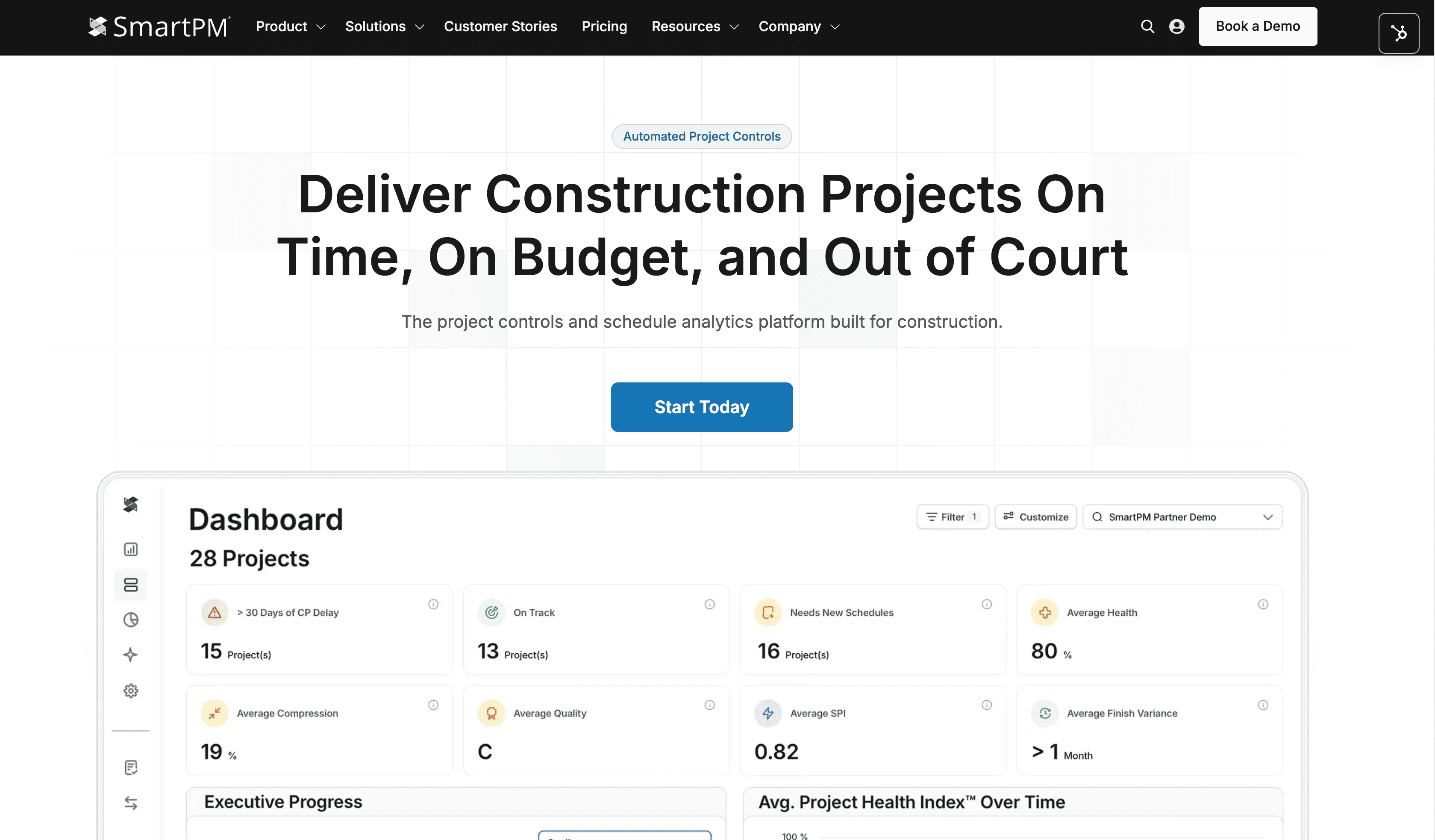
SmartPM is a schedule analytics platform built by a forensic delay expert with more than 20 years of CPM scheduling and claims experience. It is purpose-built for construction - not adapted from another industry - and it sits at the analytics and performance measurement layer of the construction project management stack.
Where most tools show you what a schedule looks like, SmartPM calculates what it means. The platform is trusted by more than half of the ENR Top 50 and holds FedRAMP® High authorization, making it the credible choice for both commercial GCs and federal programs.
Best For: General contractors, construction project managers, owner organizations, and consultants that need automated schedule analytics, portfolio-level performance visibility, and forensic-grade reporting built on a real CPM engine.
SmartPM Essentials serves mid-market GCs building a controls function for the first time. SmartPM Controls serves project controls teams that need deep analytical depth, forensic delay analysis, and defensible reporting.
|
Criteria |
Score |
|
Schedule Quality Analysis |
19/20 |
|
Analytical Engine & Data Integrity |
14/15 |
|
Delay Analysis & Forensic Capabilities |
14/15 |
|
Portfolio Visibility & Reporting |
9/10 |
|
Integration Ecosystem |
9/10 |
|
Ease of Adoption & Time to Value |
9/10 |
|
Security, Compliance & Data Governance |
10/10 |
|
Value & Pricing Transparency |
9/10 |
|
Total |
93/100 |
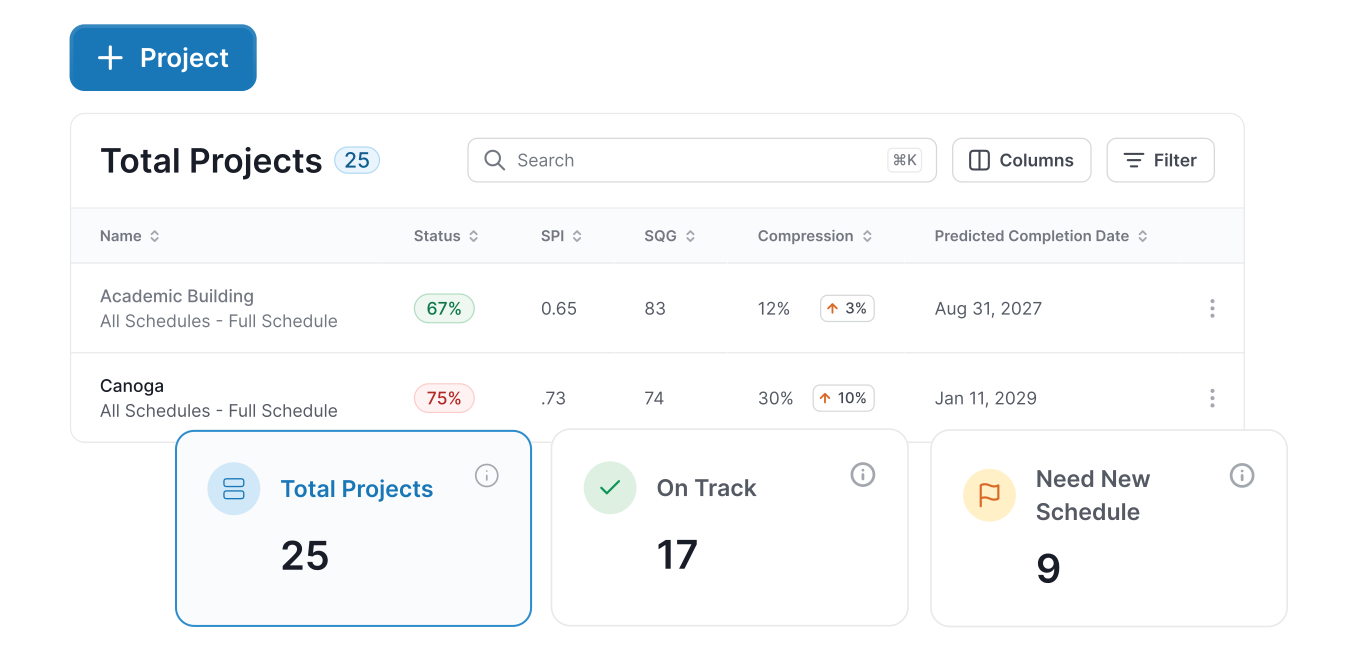
SmartPM addresses the most expensive gap in how most GCs approach construction project management: the delay between when a problem develops and when anyone knows about it.
When schedule analysis is done manually - pulling P6 exports into Excel, comparing updates by hand - tracking progress happens monthly at best. By then, delay has already been built in. SmartPM automates the entire review and reporting process, turning a schedule upload into a complete analytical picture within minutes.
The practical result is a shift from lagging to leading indicators. Barton Malow Builders described this directly: SmartPM gives their team time to act on risk before it materializes as delay. Rowan Digital Infrastructure reported that report generation dropped from a full day to five minutes. Columbia Ventures used SmartPM to anchor contract negotiations in verified schedule data rather than subjective claims.
Primavera P6, Procore, Autodesk Construction Cloud, Egnyte, Phoenix Project Manager, Asta Powerproject, CMiC, Power BI. SmartPM is designed to sit on top of existing tools - it does not require replacing them.
SmartPM offers two plans: SmartPM Essentials at $12,000/year for unlimited projects and SmartPM Controls for $25,000/year with five control slots.
|
Pros |
Cons |
|
Only construction analytics platform with a proprietary CPM engine, based on publicly available documentation |
SmartPM Controls requires a minimum five-project commitment - not suited for organizations managing fewer active projects |
|
Forensic delay analysis built in - not an add-on |
Depth of the Controls tier may exceed the immediate needs of organizations very early in their project controls journey (Essentials is the appropriate starting point) |
|
FedRAMP High authorization for federal programs |
|
|
Two tiers scale from mid-market entry to ENR Top 100 sophistication |
|
|
Customer success team actively helps build project controls programs, not just deploy software |
|
|
Trusted by more than half of the ENR Top 50 |
Reviews/Case Studies
Capterra: 4.9 stars out of 5 - 46 ratings
Larry M. says: “I used SmartPM to communicate in an easy-to-understand method my client's schedules progress, concerns, and observations. I had a 2 year experience using SmartPM. I not only got a great tool to work with, but I got a great education on how a P6 schedule can really be used as a tool to manage a project. If I get another similar assignment, I be right back using SmartPM again”
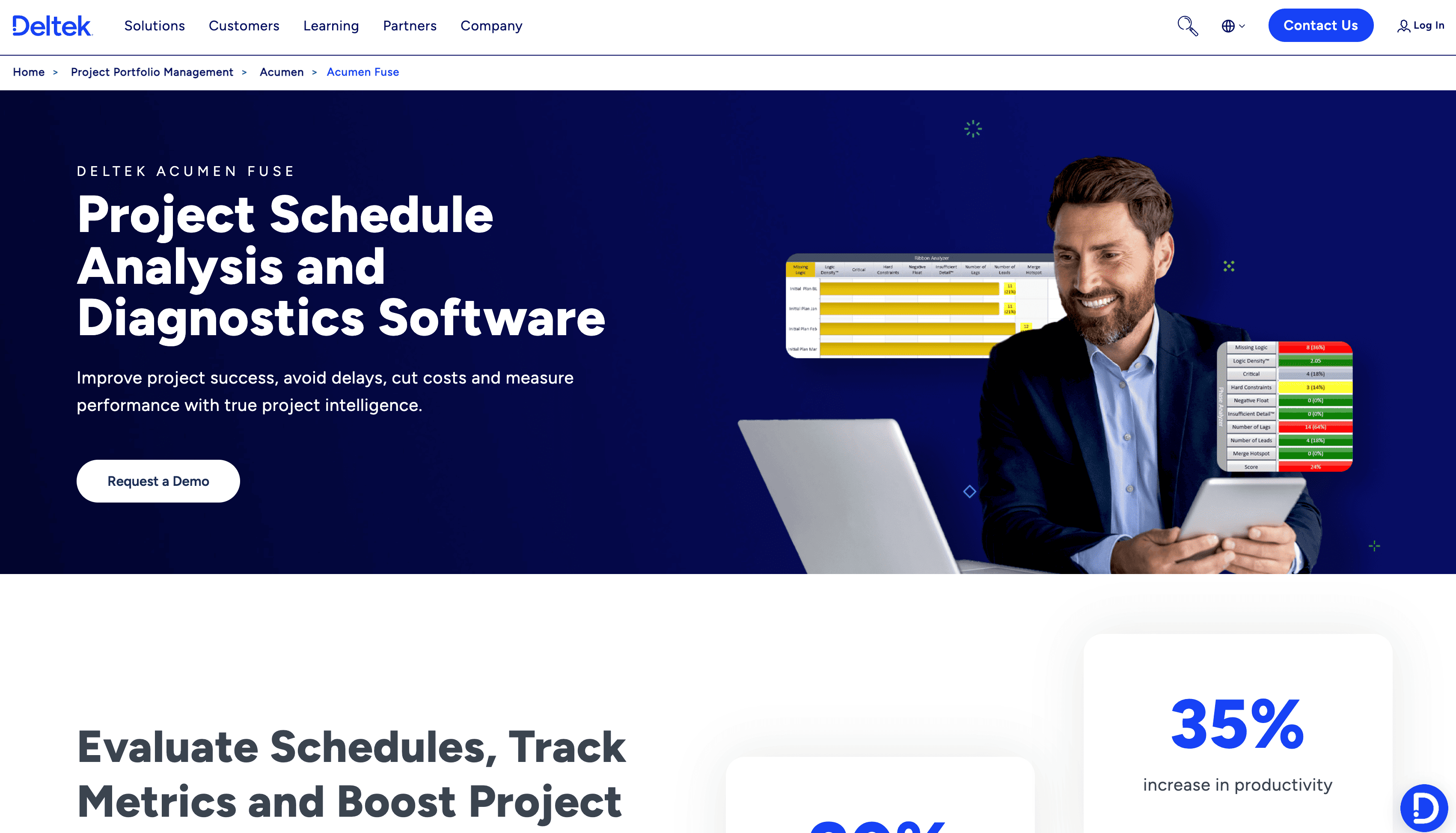
Deltek Acumen Fuse is a schedule analysis and diagnostics platform with deep roots in the government, defense, and aerospace sectors. It is part of the broader Deltek ecosystem and is designed for organizations operating under rigorous compliance frameworks including DCMA, GAO, DOE, and NASA scheduling standards. For contractors working on federal defense and aerospace programs, Acumen Fuse is frequently a recognized tool in effective project controls conversation.
Best For: Large enterprises, defense contractors, aerospace firms, and government program offices that operate under DCMA, GAO, or NASA scheduling compliance requirements. Based on publicly available documentation, Acumen Fuse is less commonly referenced in the commercial construction GC market than in defense and government sectors.
|
Criteria |
Score |
|
Schedule Quality Analysis |
18/20 |
|
Analytical Engine & Data Integrity |
14/15 |
|
Delay Analysis & Forensic Capabilities |
13/15 |
|
Portfolio Visibility & Reporting |
8/10 |
|
Integration Ecosystem |
8/10 |
|
Ease of Adoption & Time to Value |
7/10 |
|
Security, Compliance & Data Governance |
8/10 |
|
Value & Pricing Transparency |
5/10 |
|
Total |
81/100 |
Acumen Fuse addresses schedule quality and risk analysis at a depth that serves compliance-intensive programs well. The 500+ metric library, DCMA/GAO/NASA standard checks, and Monte Carlo risk simulation through its companion products make it a capable suite for organizations where quality control is audited and outcomes have contractual or regulatory consequences.
The primary context where Acumen Fuse and SmartPM occupy different territory is market focus and organizational fit. Acumen Fuse sits within a large ERP ecosystem primarily serving defense and government contractors. SmartPM was built by and for the commercial construction industry, is designed to be accessible to project teams beyond the specialist, and is built for the GC-centric workflow where multiple projects move simultaneously and speed of insight matters as much as analytical depth.
Primavera P6, MS Project, Asta Powerproject, Deltek Open Plan, Deltek Cobra, Safran Project, Phoenix Project Manager, IPMDAR SPD/CPD formats. Strongest integration depth within the Deltek ecosystem.
Deltek does not publicly list pricing for Acumen Fuse. Contact Deltek directly for current pricing and licensing terms.
|
Pros |
Cons |
|
500+ metrics with deep government compliance standard support (DCMA, GAO, DOE, NASA) |
Pricing is not publicly advertised - evaluation requires direct vendor engagement |
|
Strong forensic analysis and logic tracing capability |
Based on publicly available documentation, primarily associated with defense/aerospace/government use cases rather than commercial construction GC workflows |
|
Companion products extend into risk quantification and automated schedule submission review |
Sits within a large enterprise ecosystem; less commonly referenced for mid-market commercial GC use than purpose-built construction analytics platforms |
|
Broad schedule file format support |
Capterra: 4.2 stars out of 5 - 29 ratings
Joseph S. says: “Acumen Fuse Is Awesome. It is great to handle our scheduling needs. The flexibility, customization, and function of the software is top notch. It serves al of our purposes and is so much better than Oracle's versions of the software.”

InEight is a modular platform designed for large capital construction programs - infrastructure, transportation, power, and industrial - where cost management, earned value, and schedule performance are managed as an integrated system rather than separate workflows. It is a different category of tool from the others in this review, built for program complexity that most commercial GC work does not require.
It is a modular platform, meaning organizations can implement specific capabilities - resource management, scheduling, change management, EVM - rather than adopting everything at once. Its target market is capital construction at scale: infrastructure, transportation, power and renewables, industrial.
One consideration worth noting: InEight is a subsidiary of Kiewit Corporation, an ENR Top 10 general contractor. GCs evaluating the platform should factor that ownership into their data governance review, as project schedule data, performance metrics, and update history would be hosted by a platform owned by a competitor. We recommend verifying InEight's data handling and access control policies directly with the vendor before proceeding.
Best For: Large capital construction programs - infrastructure, highways, utilities, power, and industrial - where the integration of cost management, earned value management, and schedule performance into a single platform is a contractual or organizational requirement. Based on publicly available documentation, InEight is less commonly positioned for commercial GC markets (office, healthcare, multifamily, data center) where SmartPM's customer base is centered.
Note: InEight's score reflects the analytics criteria of this review, which are weighted toward schedule quality, compliance, and forensic depth. InEight's strongest capabilities - cost management and EVM - are underweighted by those criteria. For capital construction programs where EVM is the primary need, InEight's value proposition is higher than this score reflects.
|
Criteria |
Score |
|
Schedule Quality Analysis |
8/20 |
|
Analytical Engine & Data Integrity |
10/15 |
|
Delay Analysis & Forensic Capabilities |
7/15 |
|
Portfolio Visibility & Reporting |
9/10 |
|
Integration Ecosystem |
8/10 |
|
Ease of Adoption & Time to Value |
5/10 |
|
Security, Compliance & Data Governance |
8/10 |
|
Value & Pricing Transparency |
6/10 |
|
Total |
61/100 |
InEight is built for capital construction programs where cost management and earned value reporting are contractual requirements - infrastructure, industrial, and large public works where EVM is the primary controls discipline. For commercial GCs managing construction projects in the $10M-$50M range, that level of cost/schedule integration is typically beyond what the work requires.
InEight's strength is making those EVM calculations automatic, continuous, and connected to real project data rather than manually assembled from separate systems. Having unified project data flowing through a single platform enables the informed decisions that capital program complexity demands.
For commercial GCs managing construction projects rather than capital programs, the relevant question is whether that EVM depth is required. Most commercial GC project controls work - checking schedules, measuring performance against baseline, identifying delay early, producing owner reporting - is served by schedule analytics tools operating in the $5K-$12K/year range.
Based on publicly available documentation, InEight integrates with Primavera P6, Microsoft Project, ERP platforms, and field data capture tools. Open API available. Contact InEight directly for current integration documentation.
InEight pricing is configured per organization, based on modules implemented, number of users, and contract length. Pricing is not publicly listed - contact InEight directly.
|
Pros |
Cons |
|
The most complete cost/schedule/EVM integration in this review for capital construction |
Pricing not publicly disclosed; enterprise-scale investment |
|
Modular - organizations can start with specific capabilities and expand |
Based on publicly available documentation, does not appear to advertise the same schedule quality grading depth as purpose-built schedule analytics platforms |
|
Real-time EVM metrics without manual calculation |
Implementation complexity may exceed what commercial GCs need for schedule analytics workflows |
|
Strong portfolio-level visibility across large programs |
Capterra: 4.4 stars out of 5 - 15 ratings
Jhonny D. says: “What I find most appealing is how InEight works to handle several aspects of a project at the same time. This software means that small details of cost estimates will easily be broken down into manageable data that can work well for projects such as those in construction. I have discovered that for some reason, it might take a while to generate its report if a project contains many components. This can be disheartening especially when preparing to submit reports to clients and other parties within a short span of time.”
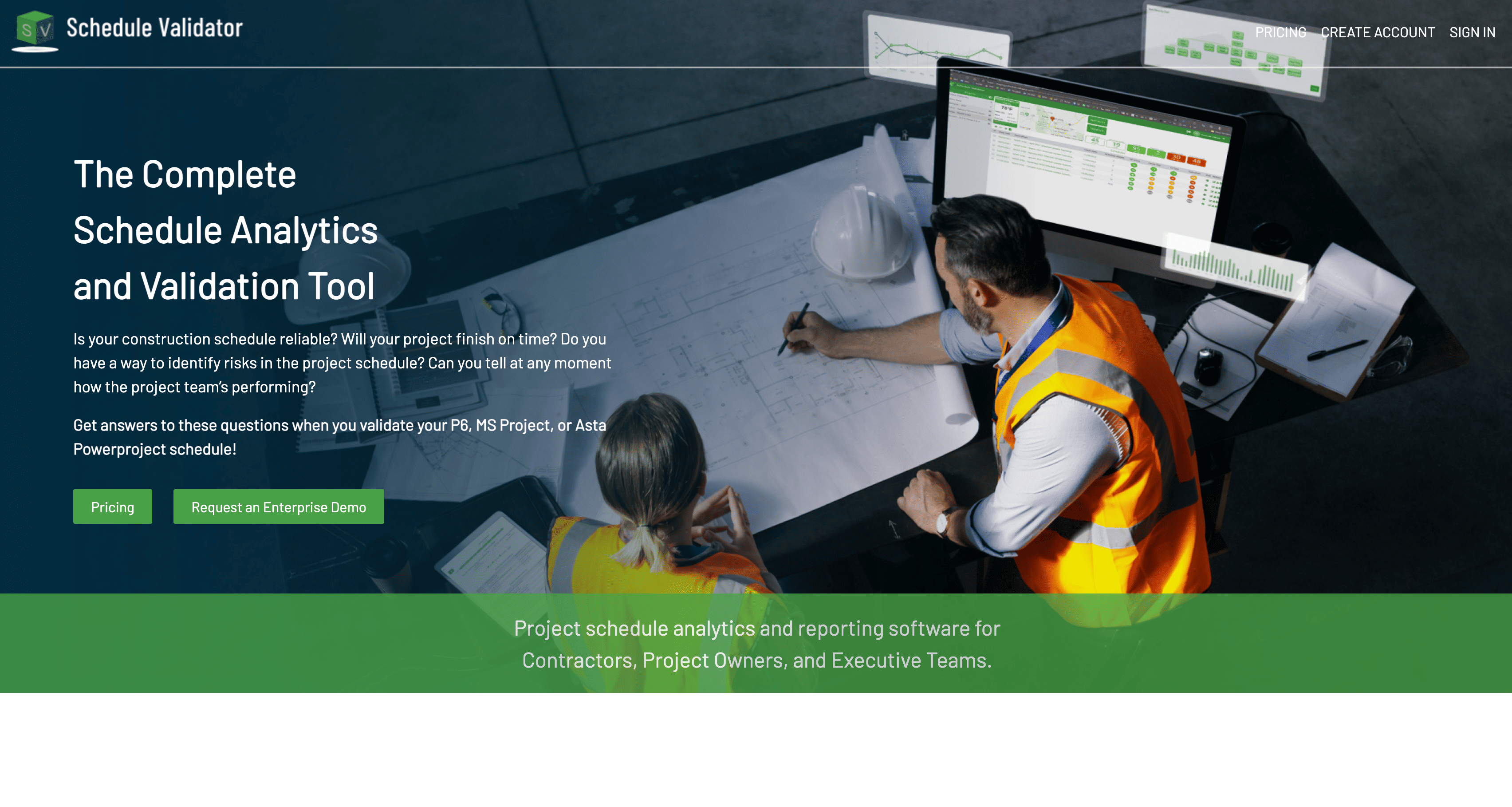
Schedule Validator is a web-based platform that analyzes P6, MS Project, and Asta Powerproject schedules against quality and compliance standards, producing validation scores, critical path analysis, and performance reporting. It uses a proprietary DCMA+ scoring system that extends the standard DCMA 14-point check. The platform is cloud-based, requires no software installation, and is designed to be accessible to construction teams without a large platform investment.
Best For: Project controls professionals, schedulers, and smaller teams seeking cloud-based schedule quality scoring, DCMA+ compliance checking, and critical path analysis without the overhead of an enterprise platform. Organizations that primarily need the upload-analyze-report cycle for schedule quality checking will find it well suited to that workflow.
|
Criteria |
Score |
|
Schedule Quality Analysis |
15/20 |
|
Analytical Engine & Data Integrity |
9/15 |
|
Delay Analysis & Forensic Capabilities |
7/15 |
|
Portfolio Visibility & Reporting |
7/10 |
|
Integration Ecosystem |
5/10 |
|
Ease of Adoption & Time to Value |
9/10 |
|
Security, Compliance & Data Governance |
5/10 |
|
Value & Pricing Transparency |
4/10 |
|
Total |
61/100 |
Schedule Validator handles the core schedule quality workflow - upload, validate, score, report - in a straightforward, accessible way. For project controls teams that need DCMA+ scoring and critical path analysis without building an enterprise-scale analytics program, it fills that gap at a price point and accessibility level that reflects the scope of the use case.
The meaningful differences between Schedule Validator and SmartPM center on analytical depth and organizational scale. SmartPM's proprietary CPM engine processes schedule data mathematically rather than operating primarily as a scoring and reporting layer.
SmartPM also includes forensic delay analysis capability, direct integrations with Procore, Egnyte, Autodesk, FedRAMP High authorization, and an enterprise customer success infrastructure. Organizations evaluating both should verify current feature sets directly with each vendor.
Based on publicly available documentation, Schedule Validator supports schedule file uploads from Primavera P6, MS Project, and Asta Powerproject. Native integrations with project management platforms such as Procore or Autodesk are not prominently advertised in publicly available documentation at time of writing.
Schedule Validator offers tiered pricing for individuals and enterprise teams. A 30-day free trial of all professional features is available. Contact Schedule Validator for current pricing tiers.
|
Pros |
Cons |
|
Cloud-based with no software installation required |
Based on publicly available documentation, does not appear to advertise the same proprietary CPM engine depth or forensic delay analysis as purpose-built analytics platforms |
|
DCMA+ scoring system provides accessible quality benchmarking |
Native integrations with Procore, Autodesk, or Egnyte are not prominently advertised in publicly available documentation at time of writing |
|
Tiered pricing for individuals through enterprise |
Professional reporting is an add-on rather than included in base tiers |
|
Free Essentials tier + 30-day professional trial available |
We could not find any publicly available reviews for Schedule Validator.
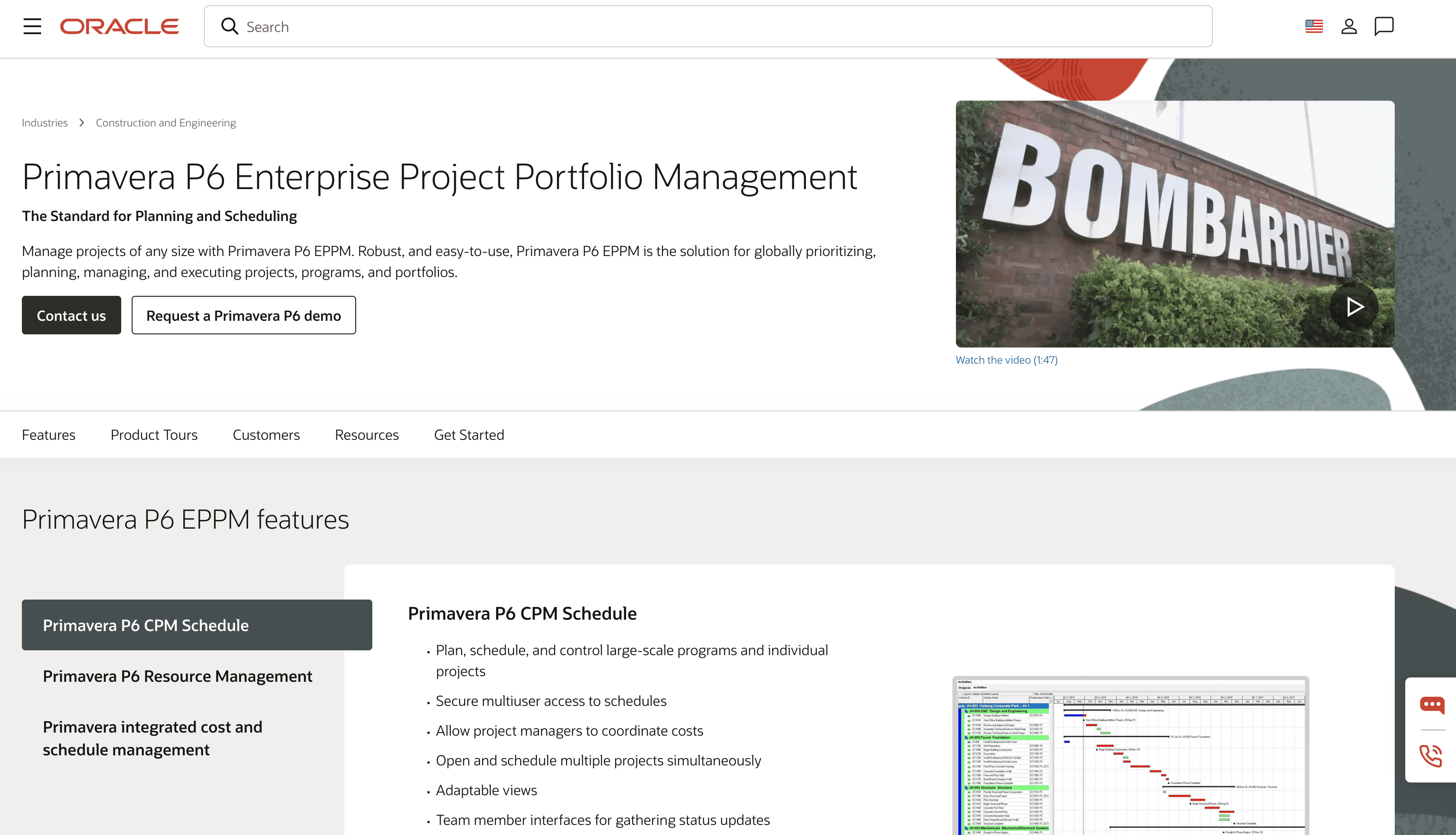
Oracle Primavera P6 is the industry standard for CPM schedule creation on complex construction projects. It has anchored the scheduling workflow on major programs - hospitals, federal facilities, infrastructure, data centers - for decades.
It is the tool where schedules are built, not where they are analyzed. P6 is the foundation layer of the project controls stack, and what comes out of it feeds the analytics tools that deliver actual performance insight.
Best For: ENR-level GCs, construction managers, and owner organizations managing large, complex construction projects that require rigorous CPM schedule development, resource loading, and baseline management. P6 is most effective in the hands of classically trained schedulers - it is not a general-purpose project management software tool.
Note: P6's score reflects its performance against project controls analytics criteria - not its value as a scheduling tool, which is best in class. Evaluating P6 against schedule analytics criteria is like scoring a diagnostic tool on its ability to build schedules.
|
Criteria |
Score |
|
Schedule Quality Analysis |
8/20 |
|
Analytical Engine & Data Integrity |
13/15 |
|
Delay Analysis & Forensic Capabilities |
8/15 |
|
Portfolio Visibility & Reporting |
6/10 |
|
Integration Ecosystem |
9/10 |
|
Ease of Adoption & Time to Value |
4/10 |
|
Security, Compliance & Data Governance |
7/10 |
|
Value & Pricing Transparency |
5/10 |
|
Total |
60/100 |
P6 does one thing better than any other tool: it builds schedules that hold up. On major commercial, healthcare, infrastructure, and federal construction projects where the owner demands a logic-driven, resource-loaded baseline schedule that meets contractual requirements, P6 is almost universally expected.
P6 is a schedule creation tool. Critical path calculation is built in, but schedule quality grading, performance measurement across updates, narrative reporting, and forensic delay analysis are not - those functions require manual work from P6 exports alone.
For organizations that need that analytical layer, SmartPM connects directly with P6, processing the schedule data it produces through a proprietary CPM engine to deliver automated quality checks, performance tracking, and defensible delay analysis. SmartPM can even export custom-built models into .xer formats. The two tools are designed to work together: P6 builds the schedule, SmartPM tells you what it means.
Oracle Primavera Cloud, Oracle Unifier, Primavera Gateway, and third-party tools via API. P6 Professional has more limited native integration capability than the EPPM and Cloud versions.
P6 Professional is available as a perpetual license starting around $2,500, plus annual support fees. Oracle Primavera Cloud starts around $100/user/month based on historically published pricing. Contact Oracle directly for current quotes.
|
Pros |
Cons |
|
The industry standard for CPM schedule development on complex projects |
Steep learning curve; effective use requires trained schedulers |
|
Handles extreme schedule complexity - up to 100,000 activities |
Primarily a schedule creation tool - performance analytics require manual work or add-on platforms |
|
Widely understood by schedulers, owners, and subcontractors |
Based on publicly available documentation, does not appear to advertise automated schedule quality grading or forensic delay analysis comparable to purpose-built analytics tools |
|
Multiple deployment options (desktop, enterprise web, cloud) |
Licensing and implementation costs can be significant for smaller organizations |
Capterra: 4.4 stars out of 5 - 179 ratings
One review says “I like primavera for planning. Many construction contracts and government bids require primavera planning as a mandatory planning tool for monthly report sharing, however, it is not easy to use or learn.”
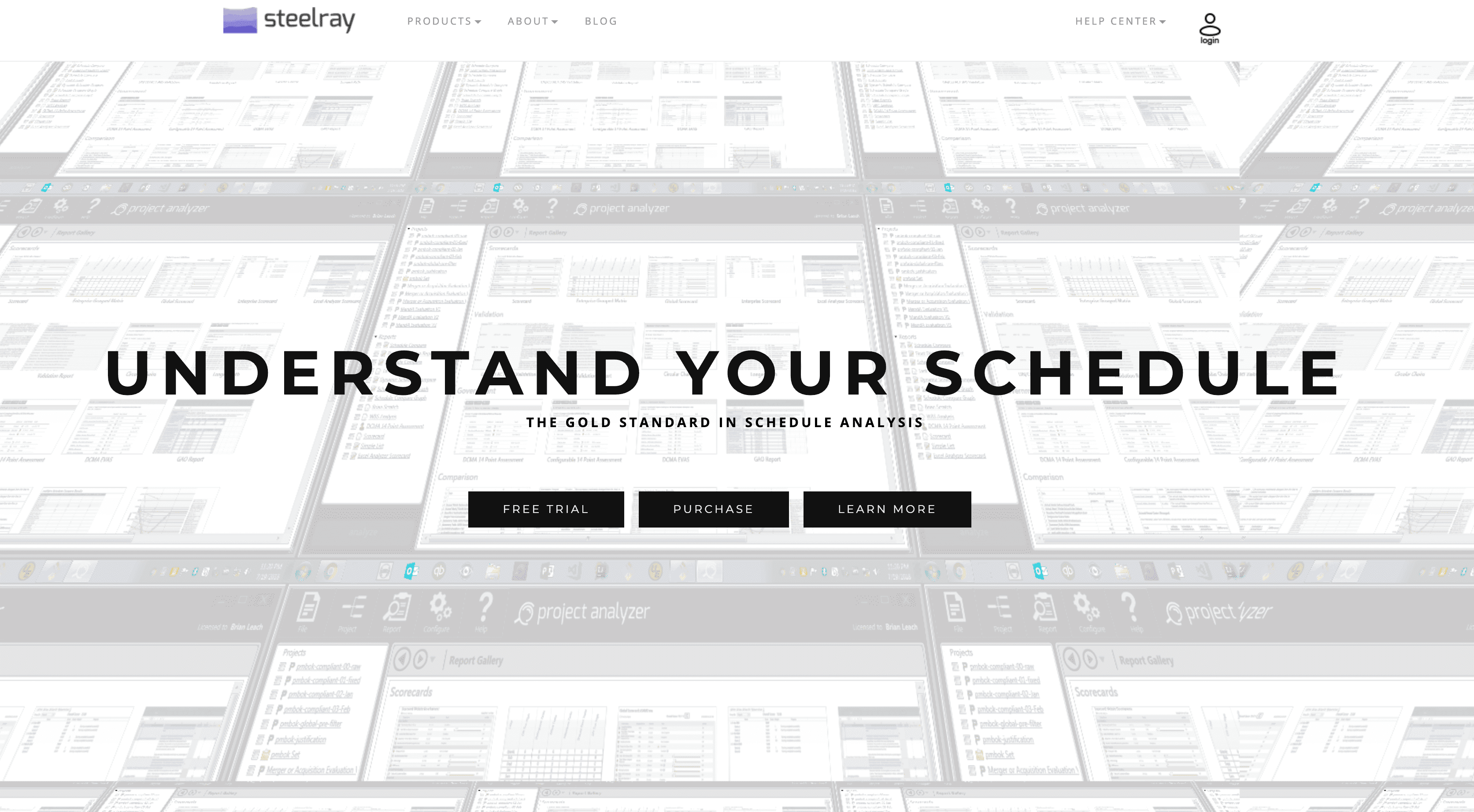
Steelray Project Analyzer has built a durable reputation among schedulers who work primarily in Microsoft Project. Based on publicly available documentation, it runs as a Windows desktop application with primary support for MS Project files, with P6 also supported.
It includes a built-in knowledge base called "The Coach" that explains quality findings and teaches scheduling best practices - a feature that makes it particularly useful for practitioners developing their scheduling skills rather than just running compliance checks.
Best For: Individual schedulers and project controls practitioners who need rigorous MS Project schedule quality analysis, DCMA 14-point compliance checking, and detailed diagnostic reporting. Organizations that work extensively in Microsoft Project and need a reliable, low-overhead quality analysis tool before submitting schedules for owner review or formal audit.
|
Criteria |
Score |
|
Schedule Quality Analysis |
14/20 |
|
Analytical Engine & Data Integrity |
9/15 |
|
Delay Analysis & Forensic Capabilities |
6/15 |
|
Portfolio Visibility & Reporting |
4/10 |
|
Integration Ecosystem |
4/10 |
|
Ease of Adoption & Time to Value |
8/10 |
|
Security, Compliance & Data Governance |
4/10 |
|
Value & Pricing Transparency |
6/10 |
|
Total |
55/100 |
Steelray does one thing consistently well: it finds problems in Microsoft Project schedules that teams could otherwise miss. The DCMA assessment, combined with statistically validated criteria built from thousands of schedules, surfaces logic errors, inappropriate constraints, and critical path reliability issues that make schedules misleading even when they look complete.
The architectural difference from SmartPM is direct and worth stating plainly. Steelray is a Windows desktop application designed for single-project analysis by an individual practitioner. SmartPM is a cloud-native platform designed to run schedule analytics across an entire portfolio for teams and organizations.
Based on publicly available documentation, Steelray does not appear to advertise portfolio dashboard capability, direct integrations with Procore or Autodesk, or the forensic delay analysis depth of enterprise project controls platforms.
Steelray Project Analyzer primarily supports Microsoft Project .mpp files, with Primavera P6 and UN/CEFACT XML also supported. Reports export to Microsoft Excel, Word, and PowerPoint.
Steelray Project Analyzer is available as a licensed desktop application. A trial version is available. Contact Steelray directly for current pricing.
|
Pros |
Cons |
|
Well-established reputation for MS Project schedule quality analysis |
Desktop application - does not appear to offer cloud-based access based on publicly available documentation |
|
DCMA 14-point assessment with plain-language explanations |
Portfolio-level management capability is not prominently advertised |
|
"The Coach" adds genuine educational value for developing schedulers |
Native integrations with Procore, Autodesk, or CMiC are not prominently advertised at time of writing |
|
Direct hyperlink navigation to flagged activities in MS Project |
Primarily designed for MS Project users; P6-heavy organizations may find it less suited to their primary workflow |
We could not find any publicly available reviews for SteelRay Analyzer.

ALICE Technologies is a preconstruction planning tool that uses AI to generate and test schedule scenarios before construction begins. Rather than analyzing a schedule that already exists, it builds and simulates alternatives - modeling different crew configurations, sequences, and resource allocations to identify a more efficient build plan prior to breaking ground.
Rather than analyzing a schedule that already exists, ALICE builds and tests schedules - simulating millions of construction project scenarios to identify optimal build sequences, resource allocation, and durations before the project starts. It answers "what is the most efficient way to build this?" rather than "how is this project performing against plan?"
Best For: Contractors and owners focused on optimizing construction schedules during preconstruction, bidding, and planning - where testing build sequence scenarios, modeling resource constraints, and identifying the most efficient delivery strategy before breaking ground can materially affect project outcomes.
ALICE is purpose-built for the planning phase. Organizations evaluating it for execution monitoring are working against the grain of what the platform is designed to do.
Note: ALICE is included in this review because construction project controls teams will encounter it in vendor conversations and RFP responses, and understanding where it fits - and where it does not - is useful context. It is a preconstruction optimization platform, not a schedule analytics tool. Its score reflects performance against project controls analytics criteria by design: the low number is not a quality judgment on ALICE, it is a signal that it operates in a different domain. If your primary need is optimizing build sequences before breaking ground, ALICE belongs in a separate evaluation entirely.
|
Criteria |
Score |
|
Schedule Analytics Depth |
14/20 |
|
Schedule Quality & Compliance |
8/20 |
|
Portfolio & Visibility |
9/15 |
|
Integration Ecosystem |
8/15 |
|
Forensic / Delay Analysis |
3/15 |
|
Ease of Use & Deployment |
6/10 |
|
Value & Transparency |
2/5 |
ALICE addresses a different - and genuinely valuable - problem: the fact that most construction schedules are built using the same sequence the last project used, without systematically testing whether a different approach would be faster, cheaper, or less risky. For contractors who take preconstruction seriously, the ability to simulate millions of build scenarios before committing to a baseline has a real impact on project success.
ALICE has published customer performance data including a 17% reduction in project duration and 14% reduction in labor costs on programs where the platform was applied. These are figures ALICE has reported from their customer cases and should be evaluated accordingly. Where SmartPM and ALICE can coexist within the same program: ALICE optimizes the schedule before construction begins, SmartPM monitors actual performance against that baseline throughout the project lifecycle.
Based on publicly available documentation, ALICE integrates with BIM tools for 4D simulation. Contact ALICE directly for current integration documentation and supported file formats.
ALICE Technologies does not publicly list pricing. Contact ALICE directly for current pricing.
|
Pros |
Cons |
|
Genuinely different approach - generative AI schedule optimization rather than diagnostics |
Purpose-built for preconstruction - based on publicly available documentation, does not appear to be primarily designed for execution monitoring or ongoing performance measurement |
|
Addresses a real gap in how most projects are planned (sequence assumption vs. scenario testing) |
Based on publicly available documentation, does not appear to advertise the forensic delay analysis depth of purpose-built analytics platforms |
|
BIM integration for 4D simulation |
Integration ecosystem appears more limited than established project controls platforms at time of writing |
|
Strongest tool in this review for preconstruction phase optimization |
Norwegian developer AF Gruppen used ALICE on a nine-building midrise residential project in Oslo valued at approximately $560 million. Their original schedule, built in Touchplan over four months, projected a 500-day build. In four days, the team used ALICE to generate more than 300 alternative schedules, seven of which outperformed the original plan.
The optimized schedule came in at 396 days - an 18% reduction in project duration - achieved by modeling different crew configurations and switching from standard to reusable formwork. AF Gruppen also reduced overall project costs by 15% through the sequencing and resource changes ALICE identified.
Construction project management and construction project controls are related but distinct disciplines. Construction management coordinates the work: who does what, when, and in what sequence. Project controls measures whether the work is proceeding as planned - and quantifies the gap when it is not. It is a professional discipline with established methodologies, industry standards, and measurable outcomes, not simply a software category.
Think of it this way: a project controller tells everyone, with data, how the project is actually running. That distinction matters enormously when project budgets are on the line and successful project delivery is expected by the owner.
At its core, project controls answers three questions on a continuous basis:
Organizations with strong project controls programs catch problems when they are still correctable. Organizations without them discover problems when they are already expensive. That gap - between early visibility and late awareness - is where margin lives or disappears.
This is why project controls help general contractors protect both project integrity and margin across their portfolio, and why the construction industry increasingly treats project controls as a core operating discipline rather than a compliance exercise.
Project controls is not a single activity. It is a set of interconnected functions that operate together throughout the project lifecycle. Three key components form the foundation of every effective program.
Everything in project controls starts with the schedule. A schedule that is logically flawed, over-constrained, or built without realistic durations is not a management tool - it is a liability. If the baseline does not reflect how the project will actually be built, every subsequent performance measurement is weighing against a fiction.
Schedule quality management involves checking CPM schedules against recognized standards - the DCMA 14-point assessment is the most widely used benchmark - to verify that the logic is sound, constraints are appropriate, float is realistic, and the critical path is trustworthy. Per DCMA guidance, this work should happen before a baseline is approved, not after delays have already occurred.
What to track:
The practical implication: a schedule that passes quality checks is not guaranteed to finish on time, only that the data inside is worthy of analysis. But a schedule that fails them is almost certainly not telling the truth about when the project will finish.
Once a quality baseline exists, project controls measures actual performance against it - systematically, at regular intervals, across every update cycle. This is where effective project controls earns its value in active construction project management.
Performance measurement compares planned progress to actual progress, calculates Schedule Performance Index (SPI) values, identifies which activities are driving delay, and quantifies how much the completion date has moved since the last update. Done manually, this analysis takes days. Done with the right management software, it happens in minutes. This is what allows resource management and project execution decisions to be made on current data rather than last month's snapshot.
What to track:
The frequency of this analysis matters as much as the depth. Monthly analysis means problems identified in week two of a four-week period have already been compounding for three weeks before anyone sees them. Weekly analysis - made practical by automated analytics - means corrective action happens while there is still float left to spend.
This cadence is what separates proactive construction management from reactive damage control. It is also when risk management shifts from a plan document to a live operational function.
Even well-run projects encounter delay. What separates organizations that manage delay professionally from those that end up in disputes is the quality of the documentation trail and the rigor of the analysis methodology.
Forensic delay analysis quantifies the causes, timing, and responsibility for delays using the schedule update history as the evidentiary foundation. A defensible delay analysis requires a complete record of every schedule update, a reliable calculation methodology, and a platform that processes that data through a real CPM engine rather than manual comparison.
Strong document management discipline is not optional here - it is the foundation. Without it, scope creep, owner-caused delay, and contractor-caused delay become impossible to separate with confidence, and risk management turns reactive instead of proactive.
What to track:
Organizations that treat their project controls data as potential litigation documentation from day one spend significantly less time and money resolving disputes than those that reconstruct the record after the fact.
The schedule update history is the most important document in any construction claim. Project controls help most when this discipline is built in from the start, not bolted on after a dispute arises.
Not all project controls software is built the same way.
The features that separate platforms capable of supporting serious construction project management from those that check a reporting box are specific and worth understanding before making a purchasing decision.
|
Feature Category |
Why It Matters |
What to Look For |
|
Analytical Engine |
Determines whether the platform calculates or merely displays |
Proprietary CPM engine, not a BI visualization layer |
|
Schedule Quality Grading |
Baseline reliability drives all downstream project performance |
DCMA 14-point check plus proprietary metrics; automated scoring |
|
Performance Monitoring |
Catching delay early is the difference between correctable and expensive |
SPI trending, critical path shift detection, milestone displacement tracking |
|
Forensic Delay Analysis |
Every project has delay; not every team can prove what caused it |
Audit trail from baseline through closeout; defensible methodology |
|
Portfolio Visibility |
Single-project analysis misses organizational risk patterns |
Real-time portfolio dashboard with drill-down to project and activity level |
|
Integration Ecosystem |
Standalone tools create manual work and data gaps |
Native connections to P6, Procore, Autodesk, Egnyte; not CSV exports |
|
Automated Reporting |
Manual report assembly consumes analyst time better spent on analysis |
Owner-ready reports generated automatically on schedule upload |
|
Scalability |
Tools that work for five projects must work for fifty |
Unlimited project capacity; no per-project pricing that penalizes growth |
Every other feature in the list above depends on this one. A proprietary CPM engine processes schedule data mathematically - running activity relationships, calculating float, quantifying delay, and detecting logic errors through its own computation. A visualization or reporting layer takes whatever data is fed to it and presents it. The difference is not cosmetic. It is the difference between analysis you can defend and a dashboard that shows you what you already put in.
Power BI and Tableau are visualization tools. They display data. They do not calculate schedule health. A project control systems platform built on a real CPM engine does the math first and then presents the output. When the analysis needs to hold up in an owner review, a change order negotiation, or a formal dispute, that distinction determines whether your data is defensible or decorative.
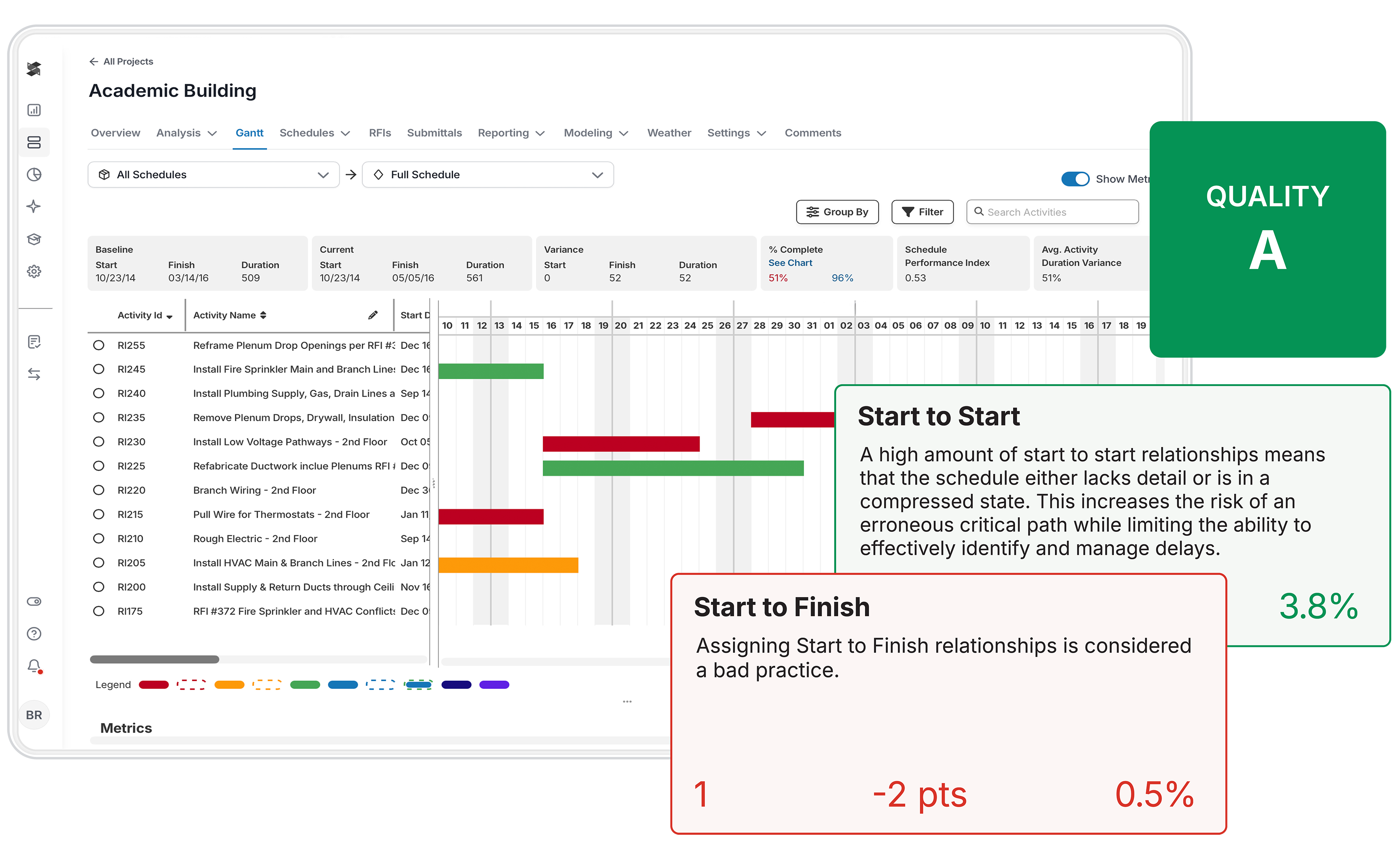
A project control systems program is not software. It is a set of processes, disciplines, and standards that software supports. Organizations that buy a platform without building the process around it get expensive dashboards.
Organizations that build the process and then automate it with the right platform achieve successful construction projects consistently - ones that protect project timelines, stay within budget, and support sound decision making at every level of the organization.
Document what a quality baseline looks like before the first project uploads - minimum activity count thresholds, maximum duration limits, float thresholds, constraint rules, and DCMA compliance requirements - and record these as part of your project plans.
The baseline review process - who checks it, against what criteria, and what happens when a schedule fails - should be established before it becomes urgent. Most organizations learn these standards reactively, after a schedule causes a problem. The ones that build them proactively spend significantly less time and money on remediation.
Monthly schedule updates are the industry default - and one of the most reliable ways to ensure delay is discovered too late to correct. The organizations with the strongest controls programs update weekly or bi-weekly, not because they have more staff, but because automated analytics make weekly tracking progress practical. When analysis takes minutes instead of days, the cadence question becomes easy to answer.
Project controls data is only valuable if the people who need to act on it can understand it. Effective programs build tiered reporting: a one-page executive summary for leadership, a project-level report for the PM and superintendent, and detailed diagnostic output for the project controls specialist. Each layer supports better decision making at the right level of detail.
Individual project analysis tells you whether a single project is on track. Portfolio-level analysis tells you which projects are at risk and which patterns are showing up across jobs that no single PM can see. A VP of Operations managing fifteen projects needs a single dashboard, not fifteen separate reports. Portfolio visibility is the step that turns project controls from a project-level function into an organizational capability.
Every schedule update is a data point in the delay story of the project. Organizations that maintain a complete, timestamped, unaltered record of every baseline and update from project start through project closure have the evidentiary foundation to support any claim that arises. Store everything. Date stamp everything. Never overwrite a submitted update.
Not every organization is ready for forensic delay analysis and portfolio-level SPI tracking on day one. A mid-market GC that has never done structured schedule analytics is better served by starting with a quality baseline review process and a simple health dashboard than by attempting to implement a full enterprise controls program in one step.
Build the foundation first: schedule quality, then performance monitoring, then forensic capability. Better yet, partner with a software that will accompany you on your project controls journey by finding out where your weaknesses lie, helping generate SOPs and schedule specs, and automating reports that everyone can understand.
Construction operates on margins too thin to absorb the cost of being surprised. Average net margins in commercial construction run between 2% and 5%. A single project that finishes 10% over schedule - on a $20 million job - can eliminate the profit from two or three other projects in the same portfolio.
Understanding this is why project controls important is not a theoretical question: it is an arithmetic one.
When schedule analysis happens monthly, delay identified in week two of a reporting period has already been accumulating for weeks before anyone sees it. Resources have been committed. Subcontractors have mobilized against a sequence that no longer holds. Float that could have been managed has been consumed.
A delay caught in week one, with three weeks of float remaining, is a scheduling problem. A delay caught in month three, after float is exhausted and the critical path has shifted, is a financial problem - one that directly affects project progress and the ability to finish within budget. The difference between those two outcomes is the frequency and quality of schedule analysis, not the severity of the underlying issue.
Most organizations focus on schedule performance - how are we tracking against plan? Fewer focus on quality control of the plan itself - is it worth tracking against? A schedule with 40% open-end logic errors, excessive constraints, and inflated float does not produce reliable performance metrics. It produces numbers that look fine on a dashboard while the construction project slides.
Schedule quality is the foundation that makes performance measurement meaningful. Without it, the entire controls program is measuring against a benchmark that cannot be trusted.
The DCMA 14-point check exists because this problem is universal - government agencies mandated objective quality standards precisely because schedule manipulation, whether intentional or the result of poor practice, is pervasive enough to require standardized measurement. Key performance indicators mean nothing when derived from a flawed baseline.
The most expensive project controls failure is not a delayed project. It is a delayed project with no defensible record of what caused the delay, when it occurred, and who was responsible.
Cost overruns from construction litigation are driven by this documentation gap more than by the underlying facts of the dispute. Claims that could have been resolved through schedule data become expensive because the data does not exist, was not maintained properly, or cannot be analyzed in a defensible way.
Organizations with strong project controls programs - complete update histories, quality-graded baselines, regular performance documentation - resolve disputes faster and at lower cost. The investment in controls infrastructure pays its clearest dividend in the claims that never become litigation.
See how SmartPM gives your team the schedule visibility that prevents these problems. Book a demo.
Most organizations already have some version of project controls in place. The question is whether their construction project management processes are rigorous enough to catch problems early, consistent enough to produce comparable data across projects, and automated enough to streamline operations without a large dedicated team.
Before improving performance measurement, assess whether the baselines being measured against are trustworthy. Run your current active project schedules through a DCMA 14-point style check. Better yet, partner with organizations that will help you build custom quality profiles according to your projects. Look at open ends, constraint counts, near-critical float distribution, and activity density relative to project scope.
Most organizations that do this for the first time discover that a meaningful percentage of their baselines have quality issues that have never been flagged. That is not a failure - it is a starting point.
If your organization does monthly schedule updates, the single highest-impact change is increasing that frequency. Manual analysis that takes days per project cannot scale to weekly without more staff.
The solution is automation: a platform that converts a schedule upload into a complete performance report in minutes removes the time constraint. Catching a critical path shift in week two versus week five of a reporting period can mean the difference between a recovery plan and a delay notice.
One of the most common and costly controls failures is inconsistency: each project team uses different scheduling conventions, different quality thresholds, and different reporting formats. The result is a portfolio where no meaningful cross-project comparison is possible.
Standardizing on a common schedule structure, common quality criteria, and common reporting format across all projects is what makes portfolio-level analysis meaningful.
Project controls data that lives in a silo creates manual reconciliation work. The most effective controls programs build a connected stack: P6 or MS Project for schedule development, a dedicated analytics platform that pulls schedule data automatically, and a reporting layer that distributes output to the right audiences without manual assembly. Every manual step in that chain is a point where data gets delayed, altered, or lost. A construction data API removes those manual steps by letting schedule metrics flow directly into BI tools, dashboards, and program-level reports.
Software does not run a project controls program. People do. The organizations with the strongest programs invest in training their project controls staff on methodology - CPM logic, delay analysis principles, performance measurement techniques - not just on how to use the software. The software accelerates and scales the capability. The capability itself has to be built.
Every organization that has tried to implement project controls seriously has encountered the same obstacles. Understanding them in advance does not eliminate them, but it does prevent the kind of surprise that derails implementation.
Inconsistent schedule quality is the most fundamental controls challenge, and it compounds every downstream problem. When some project team members produce rigorous, logic-driven CPM schedules and others produce constraint-heavy, loosely connected activity lists, portfolio-level performance comparison becomes meaningless.
The Solution: Automated schedule quality grading applied consistently at baseline submission - before the project begins, not after the first update cycle. When every baseline is checked against the same DCMA-based criteria and scored objectively, the conversation about schedule quality becomes data-driven.
Schedulers know exactly what the standard is. Project managers know exactly what they are signing off on.
The most common reason project controls programs fail to catch delay early is not that the data is unavailable - it is that processing it manually takes long enough that by the time analysis is complete, the window for correction has closed. A project controls analyst spending three days per project on monthly schedule reviews is not doing project controls. They are doing historical documentation.
The Solution: Automation that converts a schedule upload into a complete performance report in minutes, not days. When the analytical work is handled by a platform with a real CPM engine, the analyst's time shifts from calculation to interpretation - from assembling the numbers to understanding what they mean and acting on them.
That shift is what makes weekly analysis sustainable without adding headcount and what enables genuinely informed decisions at the project and portfolio level.
Most project management tools are built around the single-project view. The person responsible for the performance of the entire portfolio - a VP of Operations, a Director of Project Controls, a COO - has to aggregate information from many different sources - usually into Excel - to understand what is happening across the organization. That aggregation process is slow, manual, and only as accurate as the least reliable report in the stack.
The Solution: A dedicated analytics platform with a portfolio dashboard that pulls schedule data from all active projects simultaneously and presents unified health indicators, risk flags, and performance trends in a single view.
The goal is to make the transition from portfolio view to project drill-down instantaneous, so leadership can identify which future projects and current projects need attention without waiting for a meeting or a weekly report.
Project controls programs fail for organizational reasons as often as technical ones. When field teams and construction project managers view schedule analysis as a reporting burden rather than a management tool, compliance drops, update quality deteriorates, and the data the controls function depends on becomes unreliable. This is especially common when controls processes add administrative work without adding visible value to the people doing the work.
The Solution: Make the output of the controls process visibly useful to the project team. When a project manager uploads a schedule update and immediately receives a performance report that tells them where their critical path has shifted, which activities are driving delay, and what their current completion forecast looks like - that is a management tool, not an administrative burden.
The adoption problem largely solves itself when project stakeholders see the controls process return something useful to them, not just to the executive dashboard.
When disputes arise - and on enough projects, they will - the quality of the schedule data is often the deciding factor in how quickly and favorably the dispute resolves. Organizations that cannot produce a clean audit trail from baseline through the disputed period are starting from a significant disadvantage.
The Solution: Treat every schedule update as a permanent record from the moment the project starts. A platform with a real CPM engine that stores every update, timestamps every comparison, and produces forensic-grade delay analysis from that complete history is the basic infrastructure that makes dispute resolution manageable.
Build contingency plans around the assumption that dispute documentation will eventually be needed. The cost of building that record is negligible compared to the cost of reconstructing it when a claim surfaces.
The most important factors for choosing a construction project management controls solution are the ones that map to the specific problem your organization is trying to solve - not a generic feature checklist. Here are six questions that separate a good evaluation from a vendor tour.
This is the question most organizations do not think to ask. Many platforms take schedule data and present it visually - they do not perform the underlying CPM calculations. The difference matters when the analysis needs to stand up in an owner review, a dispute, or a formal delay claim.
A proprietary CPM engine processes the schedule mathematically; a visualization layer displays what is fed to it. Know which one you are buying, because the downstream impact on project performance is significant.
Preconstruction optimization (ALICE), execution monitoring (SmartPM), cost and EVM management (InEight), and schedule creation (P6) are all project controls activities - but they belong at different points in the project. Selecting a planning tool for an execution problem means buying the right tool for the wrong job.
The DCMA 14-point schedule assessment has become the practical benchmark for CPM schedule quality in construction, particularly on public and government projects. Any tool being considered for serious project controls work should address these checks as part of its quality control processes.
Most organizations do not budget for claims during a project. Most projects encounter some form of disputed delay. The ability to produce defensible, audit-ready analysis - showing exactly what happened, when, and why, with a traceable methodology - is a significant differentiator. This is a critical component of any platform evaluated for serious project controls work.
The best project controls programs do not rip out existing tools - they layer analytics on top of them. Confirm that any analytics platform you evaluate connects cleanly with your scheduling tool (P6, MS Project), your project management platform (Procore, Autodesk), and your reporting environment.
For GCs managing multiple active projects, single-project analysis is only half the picture. The ability to see schedule health, risk distribution, and performance trends across the entire portfolio - with one click - is what moves project controls from a project-level function to an organizational capability and enables genuinely informed decisions and faster decision making at the executive level.
Without portfolio visibility, decision making at the top defaults to whoever gave the most recent verbal update.
The right tool depends almost entirely on where your organization sits in terms of project type, controls maturity, and the specific problem you are trying to solve. Here is a practical framework for decision making. Getting this right is one of the most consequential decisions a construction project management team can make.
ENR Top 100 GC with a mature project controls team: P6 for schedule development + SmartPM Controls as the analytics and forensic layer. Portfolio dashboard across all active projects, automated quality reporting, and forensic-grade delay analysis when claims arise. This is the combination that reflects how leading firms actually operate and how they deliver successful construction projects at scale.
Mid-market GC building a controls function from the ground up: SmartPM Essentials is designed for this. Flat annual pricing, up to 50 projects, simplified dashboards with color-coded health indicators, and the ability to grow into more sophisticated controls as the organization matures.
It gives teams that have never done schedule analytics a place to start without drowning in complexity and helps them protect project timelines, stay within budget, and build the informed decisions capability that grows with the organization.
Owner or developer managing contractor-delivered programs: SmartPM gives owners and developers independent, data-driven visibility into contractor schedule performance without relying solely on contractor-produced reports. Columbia Ventures described using SmartPM to "remove emotion" from negotiations by anchoring discussions in factual schedule data. That is risk mitigation strategies made practical.
Federal agency or government program office: FedRAMP High authorization is a non-negotiable for most federal data environments. SmartPM is one of very few construction analytics platforms to hold this authorization. For government-funded construction programs, that compliance posture simplifies procurement and security review considerably.
Large capital construction program (infrastructure, industrial, power): InEight's cost/EVM/schedule integration may be appropriate here, particularly when cost control and earned value reporting are as important as schedule analytics.
Individual scheduler focused on MS Project quality: Steelray Project Analyzer is a well-regarded desktop tool for this specific use case.
See how general contractors use SmartPM to manage project performance at every stage of the project lifecycle.
Ready to see what SmartPM looks like in your environment? Book a personalized demo.
The short answer: the best project controls programs layer multiple tools, and that is by design. Most of the platforms reviewed here are not substitutes for each other - they are complements that serve different parts of the workflow.
The most common and effective stack for commercial GCs looks like this: P6 or MS Project for schedule creation. SmartPM as the analytics layer that processes schedule updates and delivers automated performance reporting, quality checks, and predictive delay analysis. Procore, Autodesk, or another project management software platform for document management, RFIs, submittals, and field coordination. SmartPM integrates with all of them - it does not require replacing any of them.
This is an important distinction. Adding SmartPM does not mean ripping out P6. It means making P6 more useful - because the schedule data that P6 produces now flows into an analytics engine that tells you what it means.
The same is true with Procore and Autodesk integrations: SmartPM pulls the schedule data that already lives in those platforms and runs it through its CPM engine. Document management, RFI workflows, and field coordination stay in their existing platforms.
SmartPM adds the analytical layer on top. This is what integrating project controls into an existing construction stack actually looks like in practice.
Layton Construction put it well: SmartPM provides "almost limitless insights you can extract from the schedule." That is not possible when the schedule lives in a creation tool and analysis happens manually in Excel.
Review real results from contractors using SmartPM across sectors including commercial, healthcare, data centers, and federal programs.



.jpg?width=460&name=Best%20Construction%20Scheduling%20Software%20(1).jpg)