



































Essentials
The Easy Way to Manage
Multiple Construction Schedules
SmartPM Essentials makes risk, quality, and performance clear across every project – before small problems snowball into big delays.


Trusted by Contractors and Owners Across the Globe
What is Essentials?
Simplified Schedule Intelligence
Gain complete visibility across multiple projects with a standardized way to review and analyze schedules.
- Every project covered: From proposals to closeout, all schedules live in one repository.
- Everyone included: Project managers, Supers, Execs, and Schedulers see the same signals with no seat math.
- Every update consistent: Automated checks and trends keep reviews objective and repeatable.
Simple to roll out, easy to use, and built to scale across your company.
One view of every project. Zero blind spots.
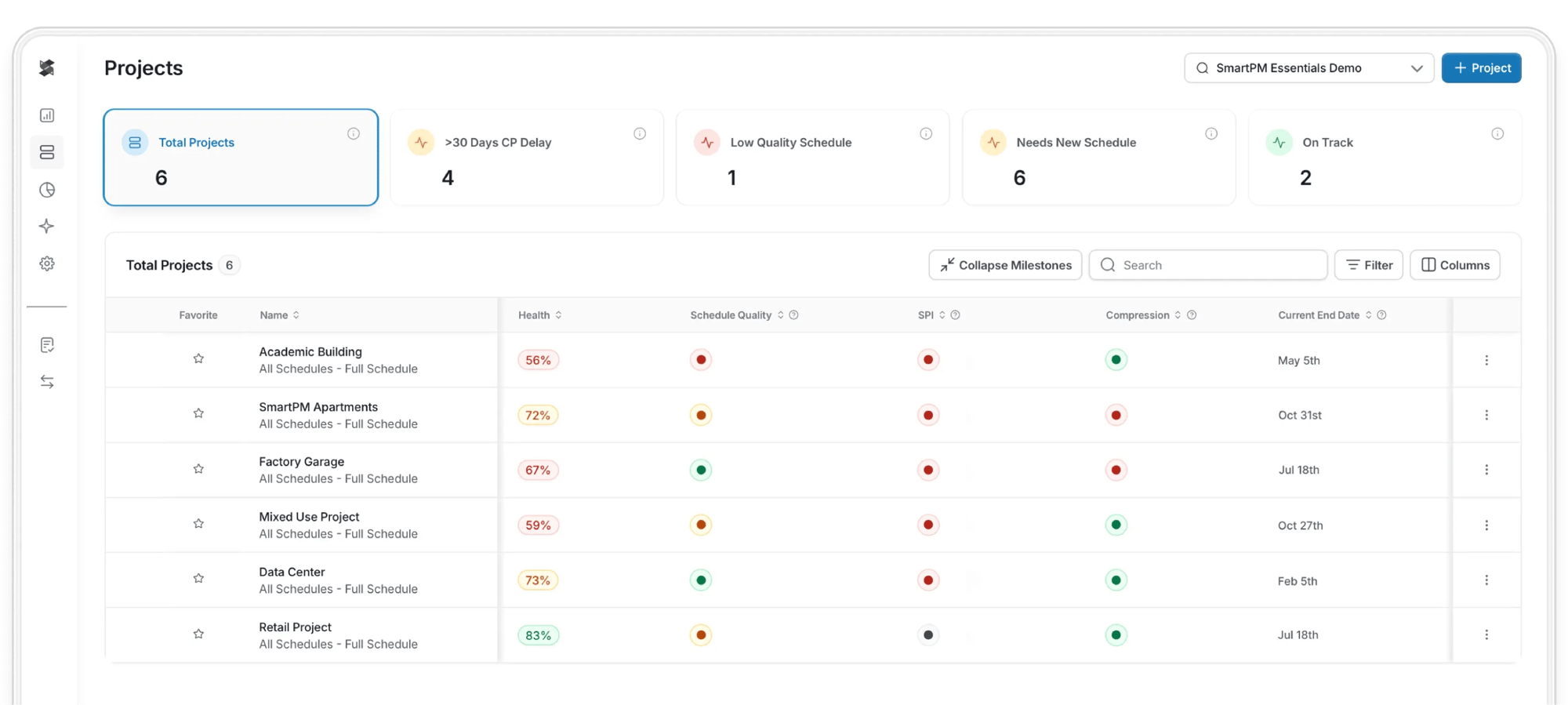
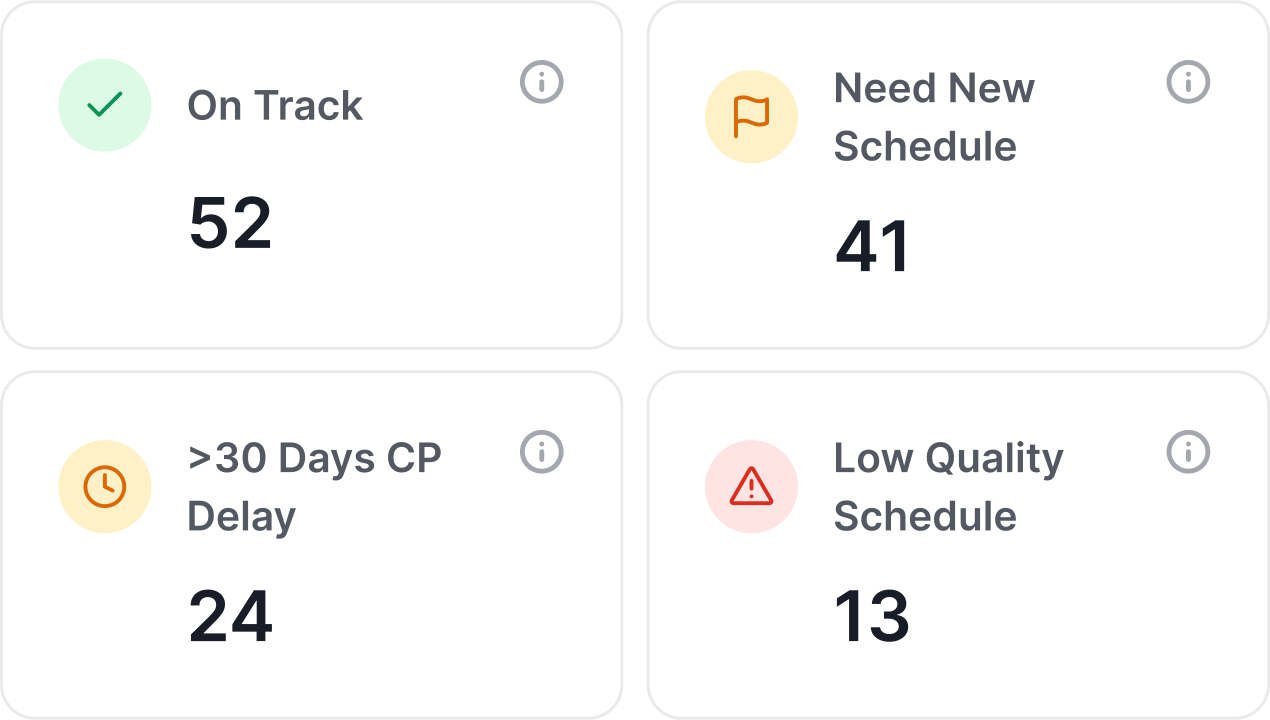
One place for all of your active projects. Filter by risk, region, or status – and instantly know which construction sites need focus.
- Prioritize the jobs and track progress where it matters most
- Standardize oversight across the portfolio
- Trust your end date throughout construction
Catch problems before they cause project delays
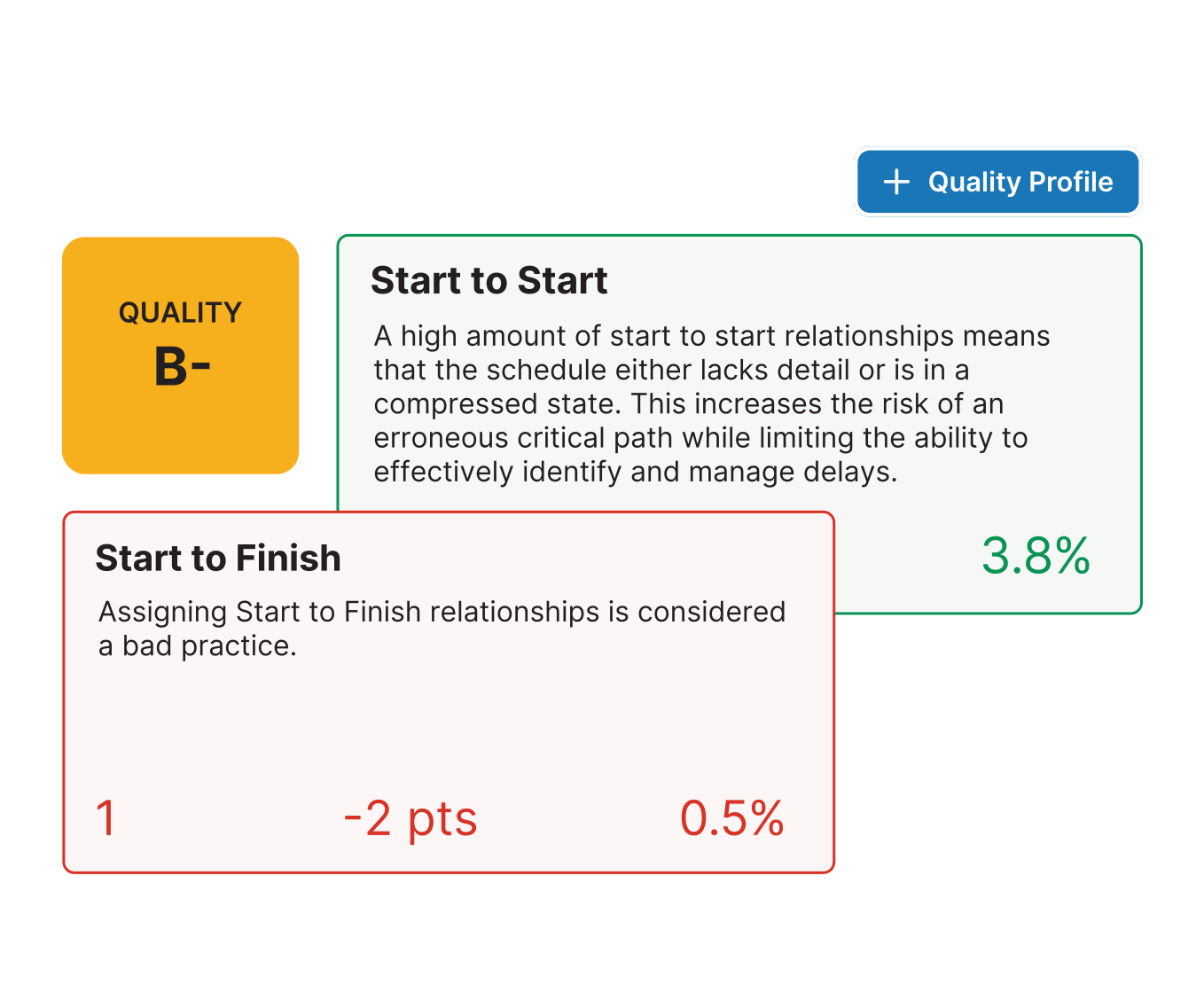
Every schedule upload is automatically scanned against 40+ industry checks. Essentials applies the same analysis to every upload with custom quality profiles you control, so general contractors and owners always see a consistent picture.
- One standard across every job or scheduler
- Objective grading with activity-level to do's
- No more surprises buried in updates
Know what changed & why it matters
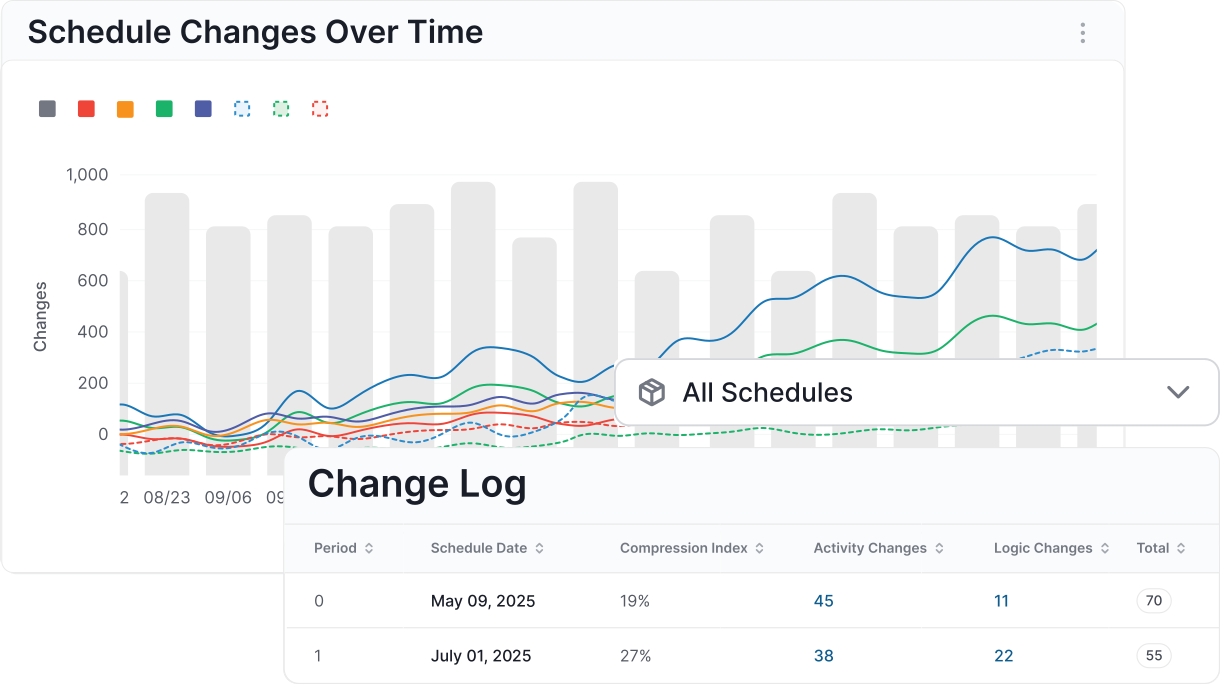
Forget manual markups. Essentials logs every change to the critical path, logic, task dependencies, durations, and more in seconds.
- Spot risky schedule changes before you commit
- Build accountability into every update cycle across all project teams
- Get instant answers on exactly how every activity changed
Track risk over time
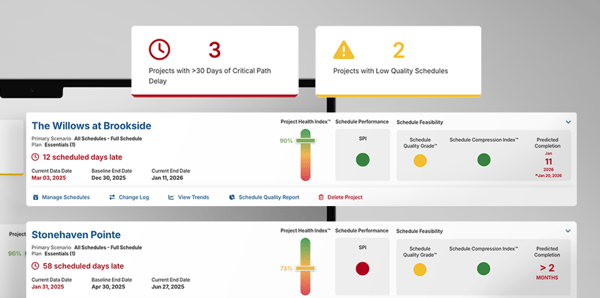
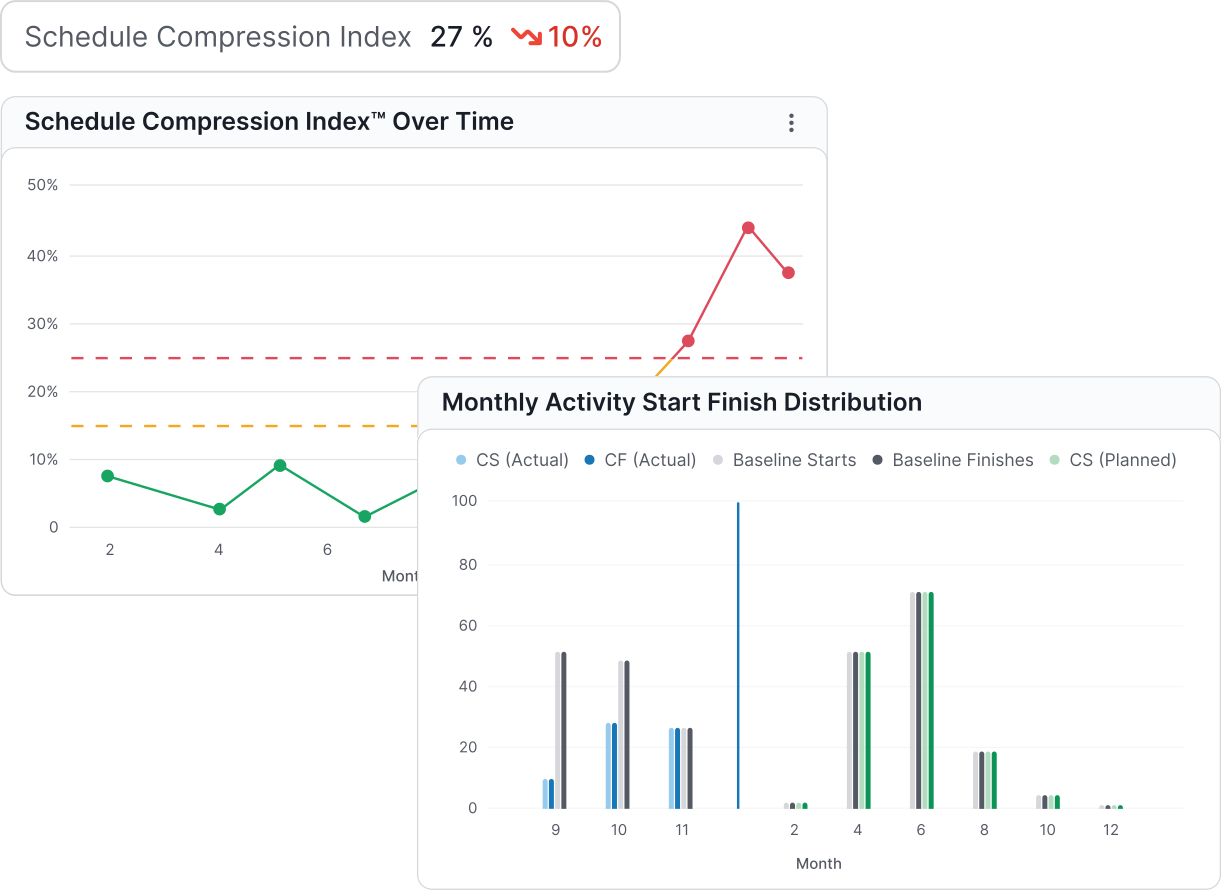
See if projects are slipping, compressing, or trending toward delay before it impacts the master schedule. Essentials surfaces leading indicators across all jobs.
- SPI, compression, delay signals, and more
- Quality grades and health scores over time
- One language for risk across teams and projects
Features
Everything You Need to Manage Schedule Risk Across Your Portfolio
Integrations
Works with the schedules you already have
“If your company wants to leverage data-driven, decision-making processes, and needs true insights into what’s really happening with the schedules on their projects, SmartPM is the product I would recommend.”

“Incredible Schedule Analytics Tool. SmartPM is super easy to learn and very effective when trying to communicate what is going on in the schedule. It is so quick and easy to upload your schedules into the software and within minutes have all of the metrics at your fingertips.”
“Some metrics we looked at in the past were lagging indicators. SmartPM provides leading indicators that give us time to adjust early and with more confidence.”

“SmartPM did everything we needed it to do and more. It allows us to identify potential roadblocks in our schedule – and do it early enough to remediate the issues.”

“Information to our owners is now 10X greater than before we had SmartPM. We uncovered a lot of risks that we did not know we had.
“The dashboard is easy at a glance. You can see health, compression, and the real end date in a single view.”
“The Windows Analysis is a game changer. What used to take me weeks or months on some projects now takes minutes or hours. I don't want to analyze any project without SmartPM anymore.”

“SmartPM’s interface was superior versus the competition, with essential metrics and reports clearly displayed and easy to find.”

“SmartPM is really helping us find and deal with the flaws in our baseline schedules and weekly updated schedules. It is saving us a lot of time by providing a cheat sheet on any issues with the schedule and points us right to the issue at hand instead of having to go dig for it.”
“The integration between SmartPM and Procore is huge for us because we don’t have to reinvent the wheel. We just add SmartPM into our current process to supplement it rather than change it.”
Frequently Asked Questions
Still have a question? Contact us.-
Construction scheduling software is used to build schedules from scratch. Project teams use tools like Primavera P6 or Microsoft Project to sequence activities, establish task dependencies, assign tasks to team members, and map out the full project scope. That's construction planning at the front end.
Construction schedule management software does something different. It takes the schedules your construction professionals already built and analyzes them for quality, risk, and performance over time. Rather than helping you create a project schedule, it tells you whether that schedule is realistic, where the risks are hiding, and how the project is tracking against the plan.
SmartPM Essentials sits on top of your existing scheduling tools, not instead of them. It checks every update against 35+ industry-standard metrics, surfaces problems before they compound, and gives construction managers a consistent view of health across every job in the portfolio. For construction companies managing complex construction projects across multiple teams, that distinction matters more than most people realize.
-
Yes. SmartPM Essentials accepts .xer files from Primavera P6, .xml files, .mpp files from Microsoft Project, and .ppx files from Powerproject. Upload any of those formats and Essentials processes them immediately. Every upload is stored in a clean history so you can compare updates over time and track exactly what changed between versions.
The goal is to work alongside the scheduling process your teams already follow, not disrupt it. If your schedulers live in P6, they keep working in P6. Essentials handles the analysis layer on top.
-
Industry best practice, consistent with DCMA guidelines, calls for monthly updates at minimum on active projects. For fast-moving jobs or projects with high schedule pressure, bi-weekly updates give you a tighter feedback loop and a more accurate read on job progress.
The practical benefit of more frequent uploads is that SmartPM Essentials can detect drift earlier. Small slips in float, creeping compression, and logic changes become visible before they accumulate into a delay. The longer the gap between updates, the harder it is to trace what caused a problem and when it started. For construction businesses running robust scheduling programs, the update cadence is one of the first things worth standardizing across the portfolio.
-
At minimum, the right construction scheduling software should automatically calculate schedule performance index (SPI), total float and free float distribution, critical path integrity, schedule compression ratio, logic density, and activity completion rates. These are the leading indicators that tell you whether project timelines are holding before the end date slips.
SmartPM Essentials runs checks against 35+ schedule quality metrics on every upload, including the DCMA 14-point check and custom quality profiles you configure for your organization. The output is an objective, repeatable grade on every schedule, regardless of which scheduler built it or which tool they used. No more surprises buried in updates. No more inconsistent reads on project progress from job to job.
-
General project management software handles task management, document control, RFIs, submittals, and team collaboration features. Those are table stakes for construction teams today. But task management features and collaboration tools don't tell you whether your project is actually going to finish on time.
Construction schedule management software focuses specifically on CPM schedule analysis. It reads the logic, sequencing, resource allocation, and performance data embedded in your schedule files and turns it into actionable intelligence. The scheduling features in a general PM platform are designed to help you assign tasks and track tasks at an activity level. They are not designed to catch complex scheduling issues like logic gaps, float erosion, or compression building across a multi-year program.
SmartPM Essentials is not a replacement for Procore, Autodesk Build, or any other platform your project teams rely on. It works alongside all the tools already in your stack. The distinction matters because general project management software tells you what tasks are open. Construction schedule management software tells you whether your project is on track to finish on time, and why.