





API & Integrations

Bring Construction Schedule Analytics Anywhere with an Open API

Our Open API gives you direct access to the engine behind the insights – so you can connect, customize, and scale your project intelligence across platforms.

essentials-mobile-header

Integrate SmartPM with

  • procore-open-api
  • tableau-project-management-software
  • microsoft-power-bi-logo
  • p6-oracle-project-management
  • microsoft-project-management
  • domo-project-management

What it Does

Connect SmartPM to Your Systems in Minutes

SmartPM’s Open API gives you secure access to both raw schedule data and all the metrics we calculate.

Use it to feed your dashboards, connect your systems, or automate reporting across projects and programs.

No extra fees. No limits on users. No heavy lift. Just plug in, pick the data you want, and let SmartPM handle the rest.

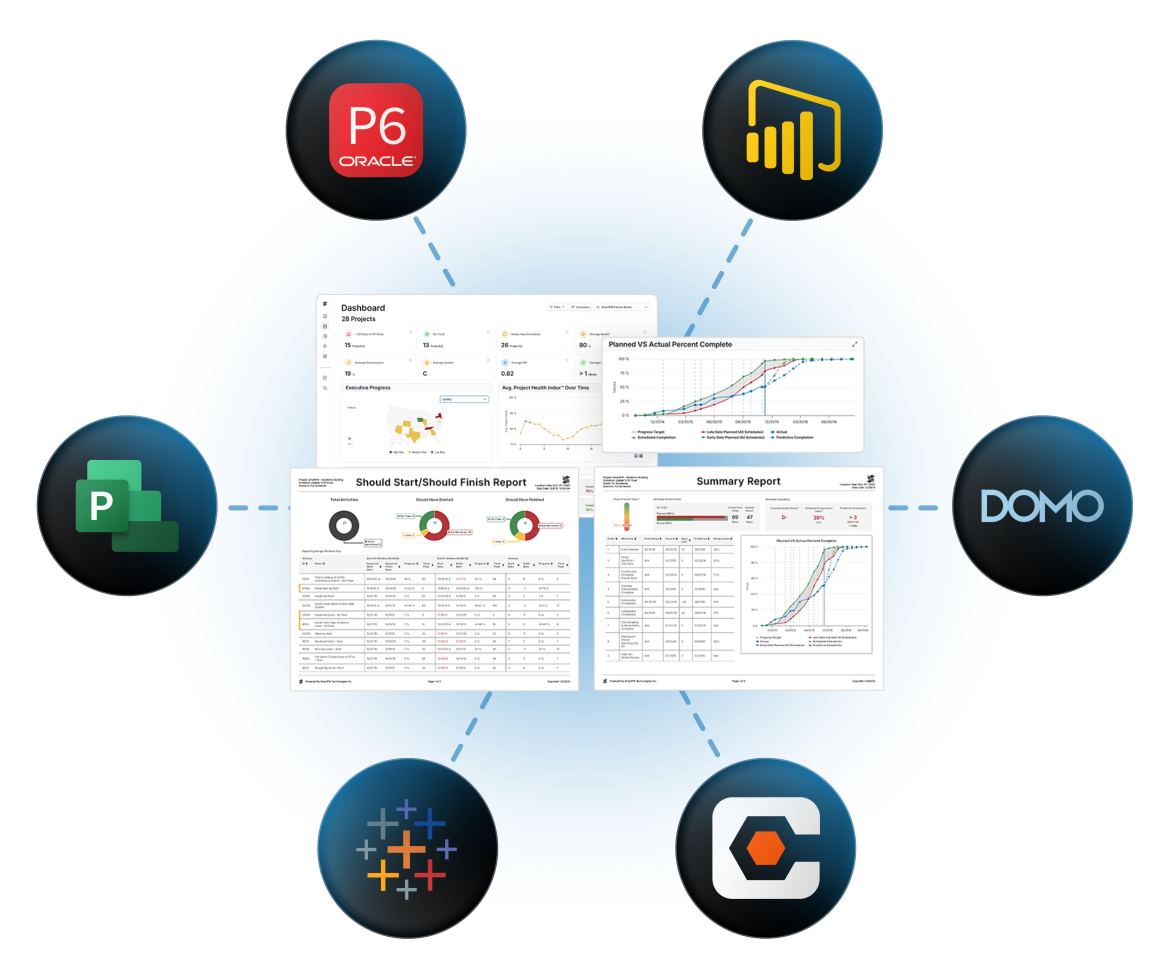
Integration diagram showing SmartPM data feeding dashboards and reports in the center, connected by dotted lines to external platforms including Oracle P6, Power BI, Microsoft Project, Domo, Tableau, and Procore.

Construction Data API

Put Your Schedule Data to Work

open-api-icon-1

Keep Systems in Sync

Push SmartPM metrics automatically into your BI tools, PMIS, data warehouse, or custom dashboards.

core-analytics-icon-1

Standardize How Teams View Data

No matter which scheduling tool your teams use, SmartPM translates it into intuitive insights everyone can understand.

chnage-analysis-icon-1

Automate Status Updates

Metrics, alerts, and workflows are updated automatically whenever a schedule is uploaded or analyzed.

predictive-analytics-icon-1

Connect the Dots Across Your Data

Pair SmartPM insights with cost, labor, and field inputs to spot patterns, validate plans, and understand performance at scale.

What Teams Build with Our Open API

  • Plug SmartPM into company-wide Power BI dashboards
  • Feed SmartPM metrics into internal PMIS or ERP systems
  • Automate monthly portfolio reporting
  • Trigger alerts for compression, quality drops, or late updates
  • Sync schedule files & analytics across hundreds of active projects
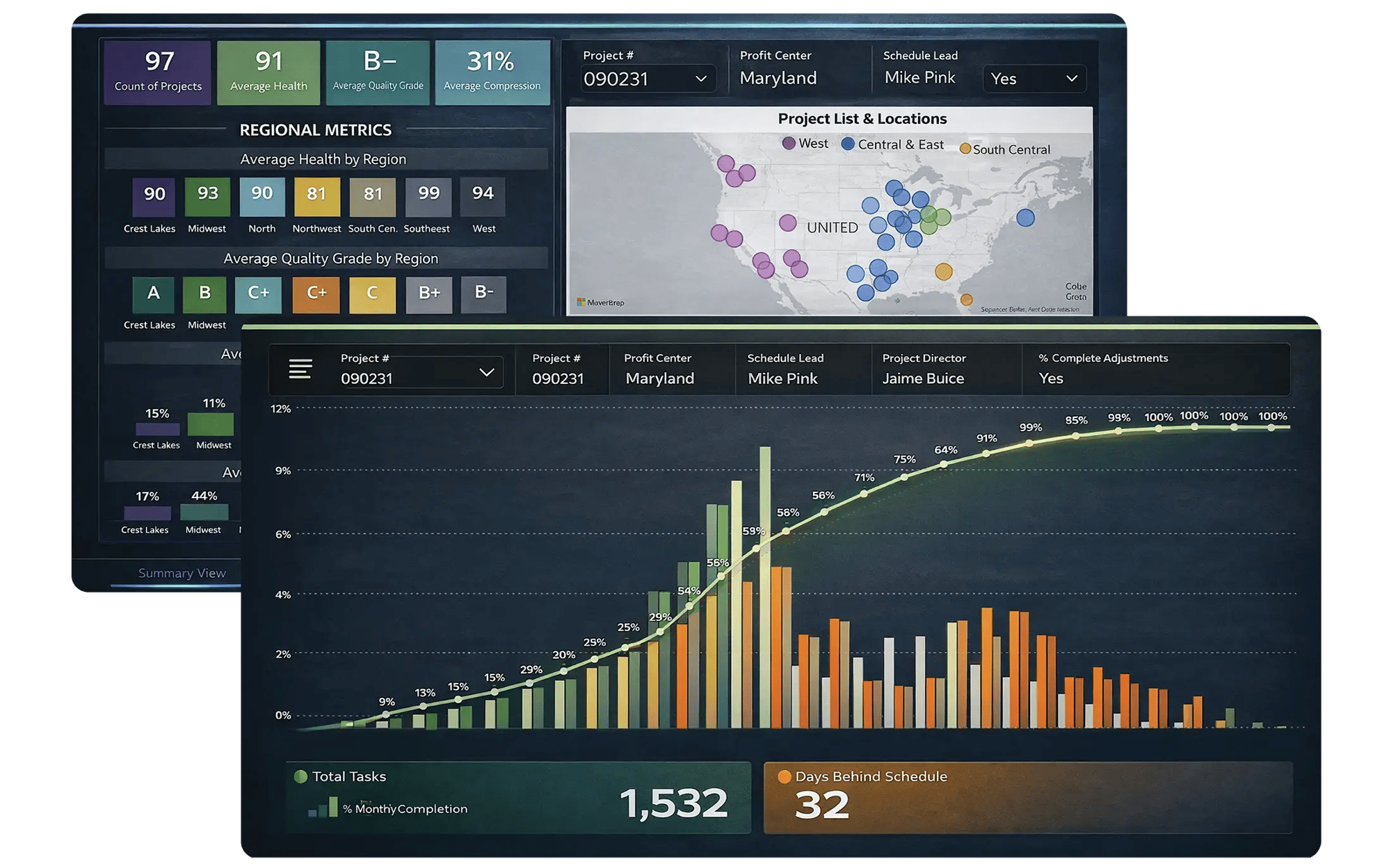
Examples of analytics outputs: a schedule metrics summary dashboard with filters, regional comparison charts, and a project location map, layered behind a Power BI-style chart showing bars and an S-curve trend over time.

Security

Enterprise-Grade Security, Built In

Your data stays protected by the same controls that power SmartPM’s core platform.
Large FedRAMP
soc-2
iso

Run a Tighter Business With Better Schedule Intelligence

Let us show you how the Executive Dashboard helps teams improve quality, reduce delays, and build projects with fewer surprises.
 
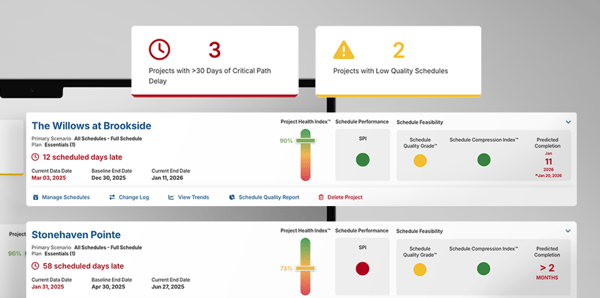
Executive dashboard view for 28 projects with KPI cards for critical path delay, on-track count, schedules needing updates, average health, compression, quality grade, SPI, and finish variance, plus progress and health-over-time visuals below.
Take their word for it

“If your company wants to leverage data-driven, decision-making processes, and needs true insights into what’s really happening with the schedules on their projects, SmartPM is the product I would recommend.”

Denton Perreault (DesCor Builders)
Denton Perreault DesCor Builders
Take their word for it

“Incredible Schedule Analytics Tool. SmartPM is super easy to learn and very effective when trying to communicate what is going on in the schedule. It is so quick and easy to upload your schedules into the software and within minutes have all of the metrics at your fingertips.”

Brandon Howell (Layton)
Brandon Howell Layton
Take their word for it

“Some metrics we looked at in the past were lagging indicators. SmartPM provides leading indicators that give us time to adjust early and with more confidence.”

Take their word for it

“SmartPM did everything we needed it to do and more. It allows us to identify potential roadblocks in our schedule – and do it early enough to remediate the issues.”

Take their word for it

“Information to our owners is now 10X greater than before we had SmartPM. We uncovered a lot of risks that we did not know we had.

Shane Tresch (Bell Construction)
Shane Tresch Bell Construction
Take their word for it
“The dashboard is easy at a glance. You can see health, compression, and the real end date in a single view.”​​
Take their word for it
“The Windows Analysis is a game changer. What used to take me weeks or months on some projects now takes minutes or hours. I don't want to analyze any project without SmartPM anymore.”

Take their word for it
“SmartPM’s interface was superior versus the competition, with essential metrics and reports clearly displayed and easy to find.”

Rob McMurrich (J.H. Findorff)
Rob McMurrich J.H. Findorff
Take their word for it
“SmartPM is really helping us find and deal with the flaws in our baseline schedules and weekly updated schedules. It is saving us a lot of time by providing a cheat sheet on any issues with the schedule and points us right to the issue at hand instead of having to go dig for it.”
Brandon Schroer (DesCor Builders)
Brandon Schroer DesCor Builders
Take their word for it

“The integration between SmartPM and Procore is huge for us because we don’t have to reinvent the wheel. We just add SmartPM into our current process to supplement it rather than change it.”