






























Schedule Delay Analysis
Automated, Forensic-Grade Construction Half-Step Delay Analysis Software
Automate construction delay analysis and track project delays, days lost, gained, or changed, early enough to make smarter recovery decisions.
You're in Good Company
What it Does
Time Is the Most Valuable Metric You Have
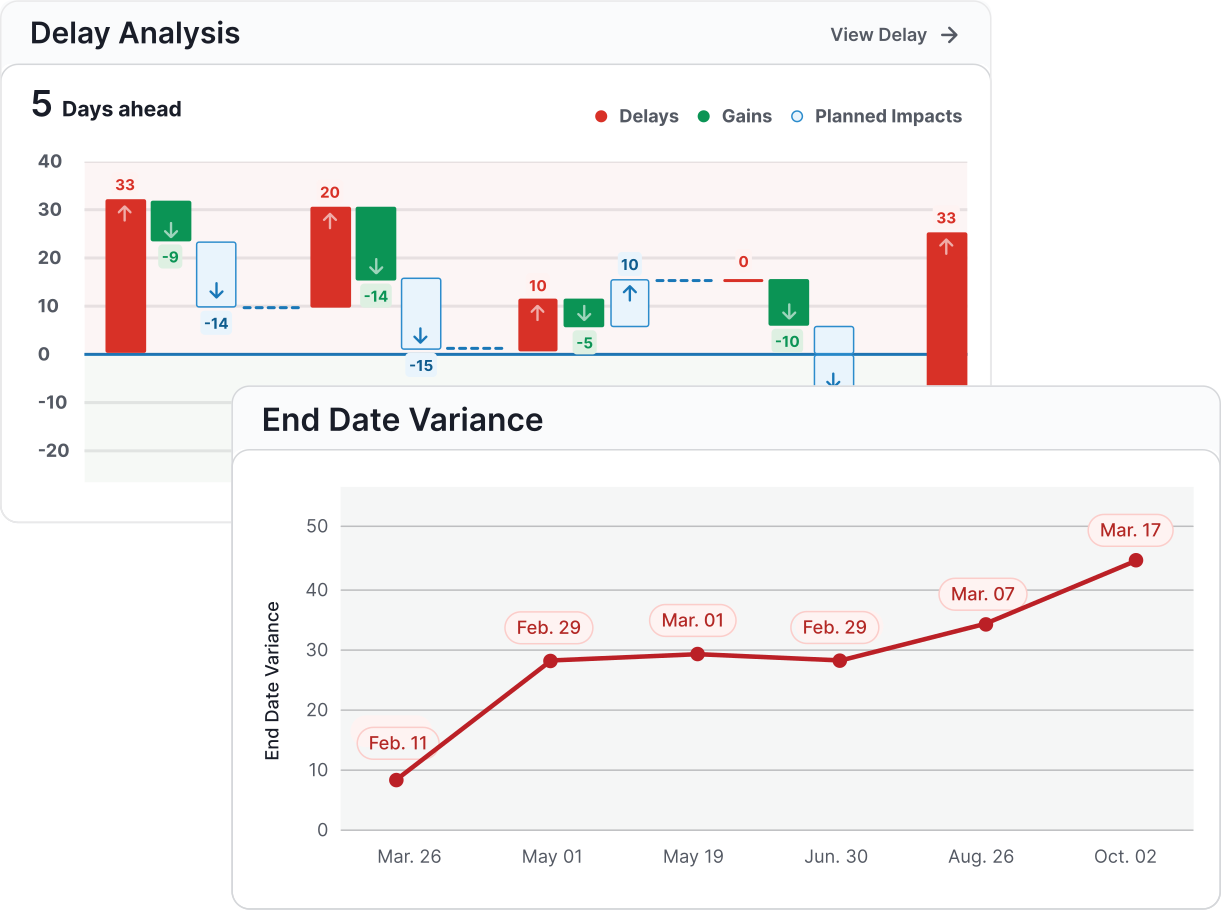
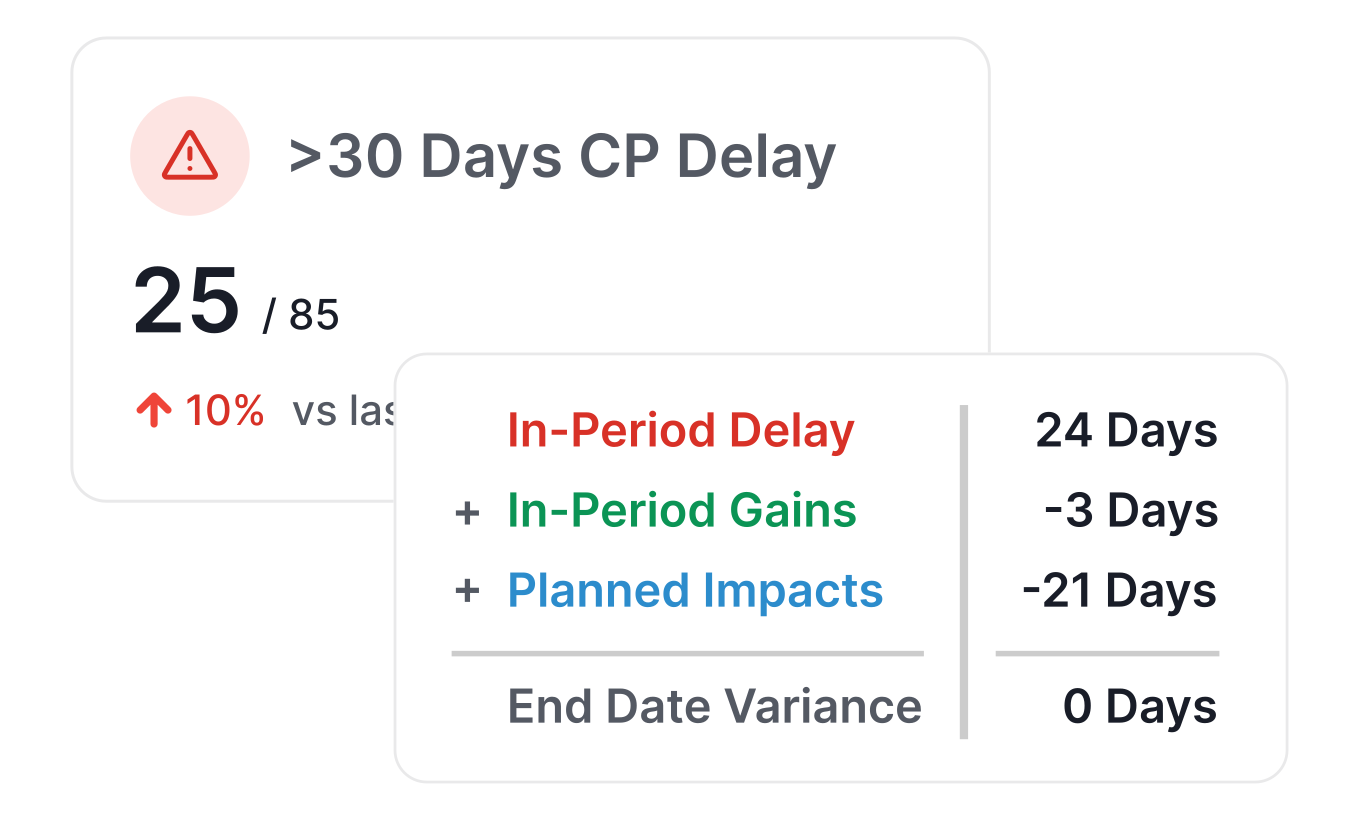
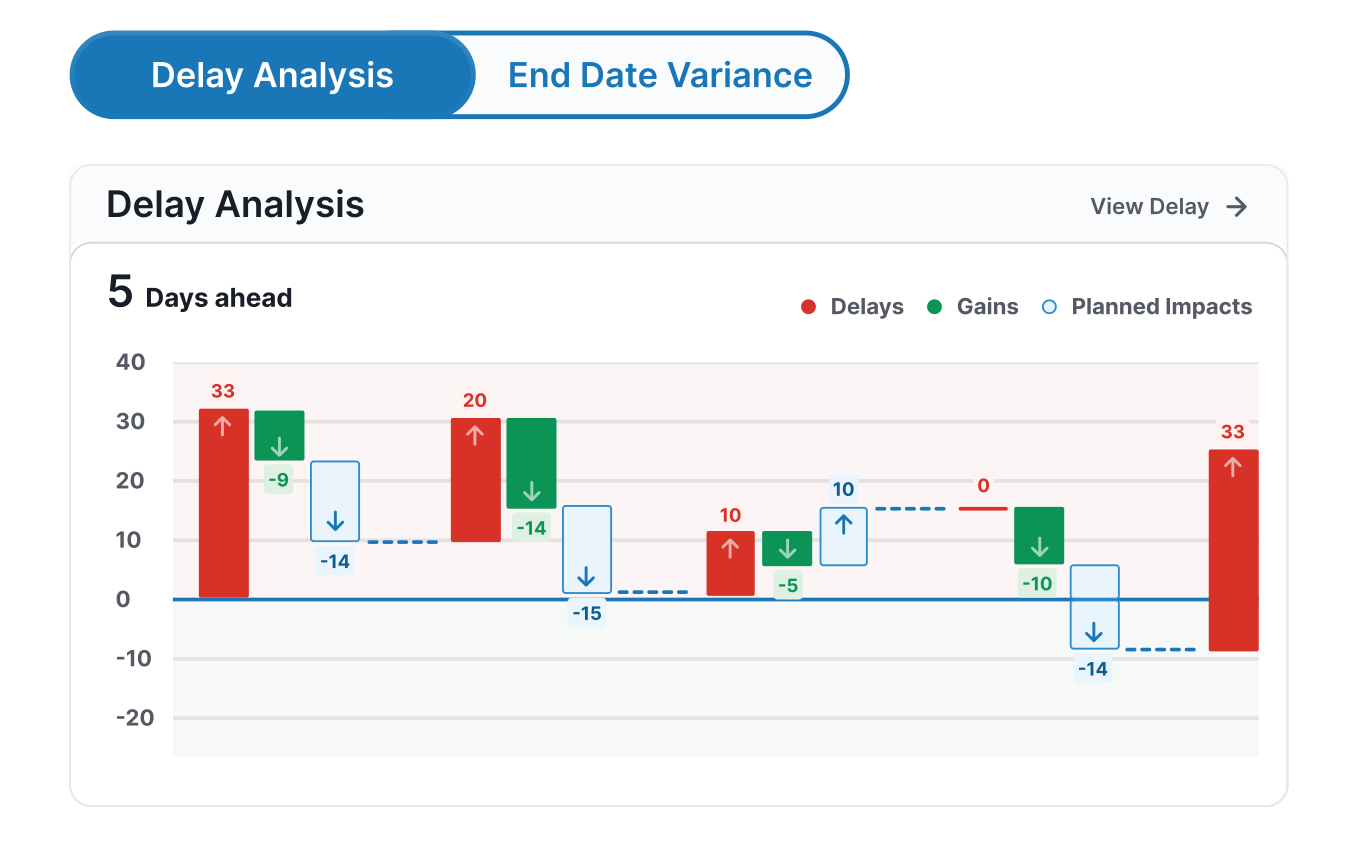
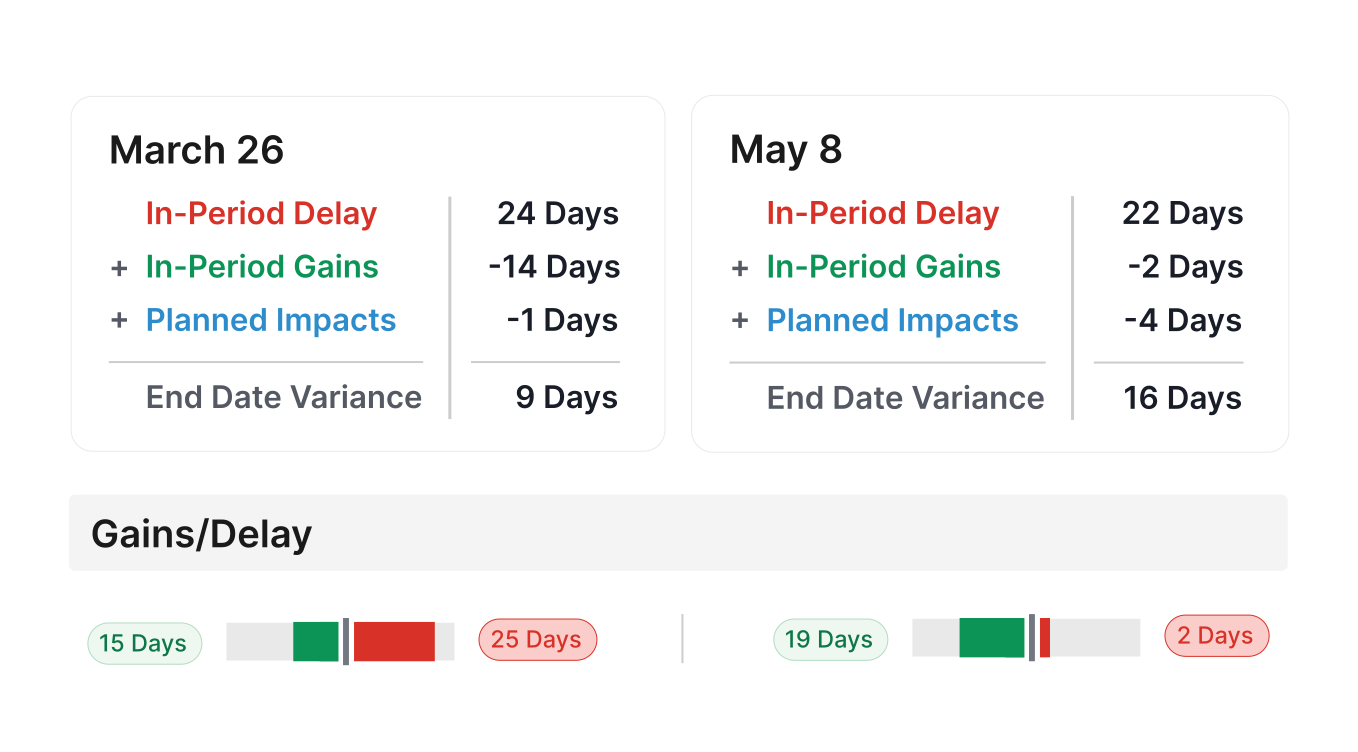
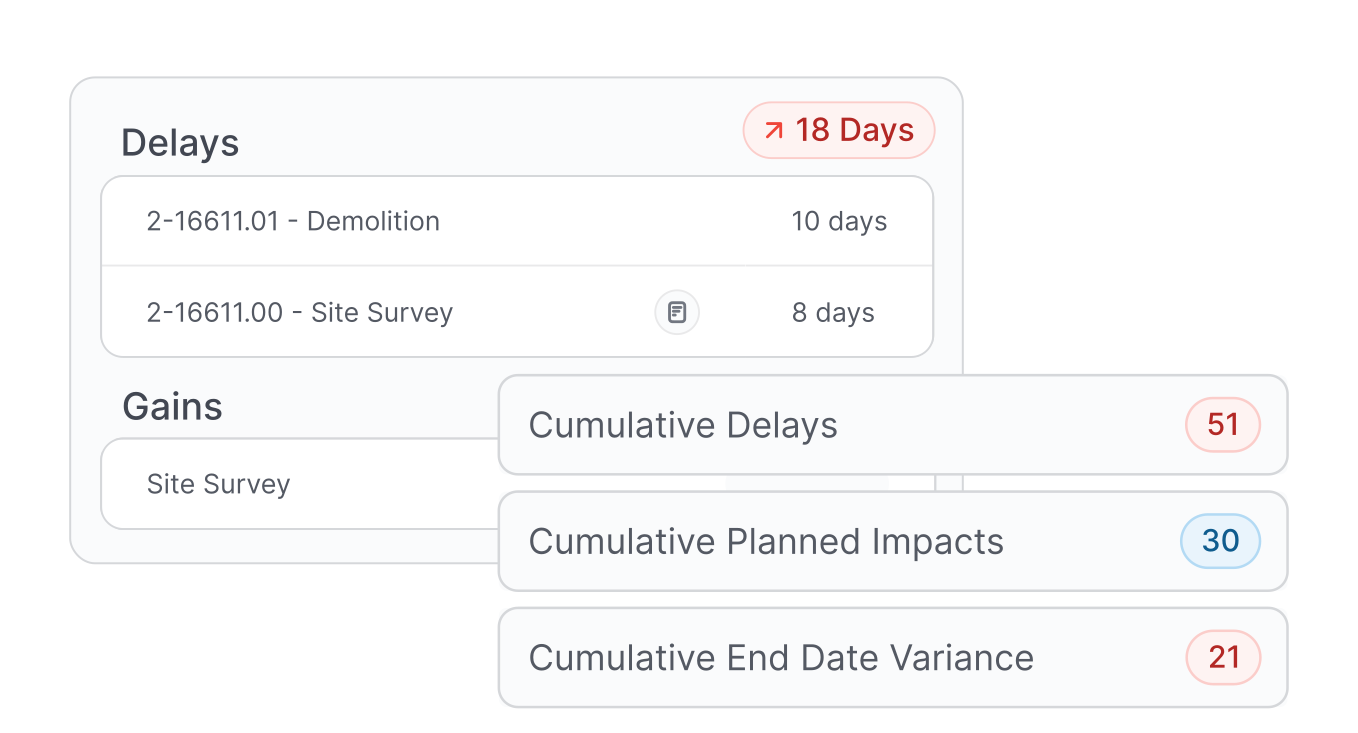
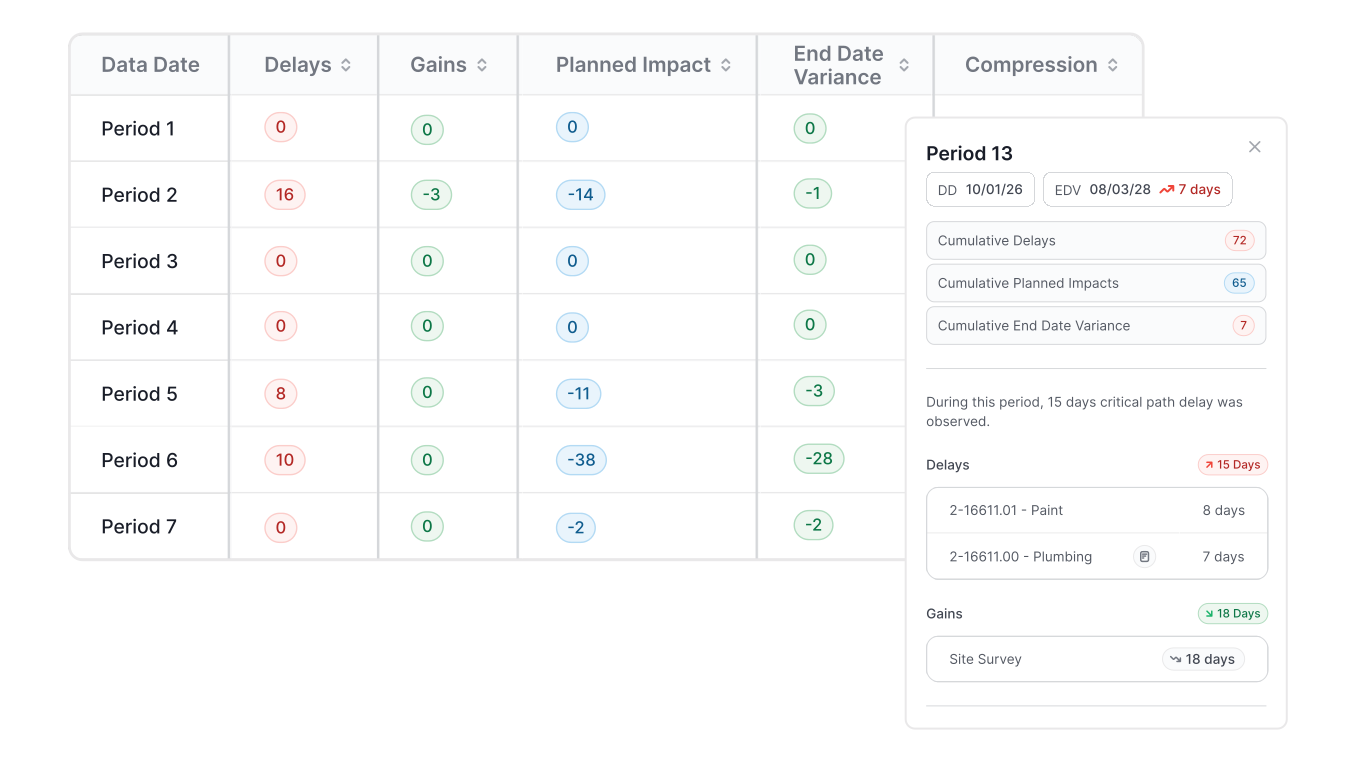
Every project update changes the schedule. SmartPM’s Automated Delay Analysis Engine runs a schedule analysis on each update and breaks down the impact by:
- Progress Delay – what slipped on the critical path
- Gains – what finished ahead of plan
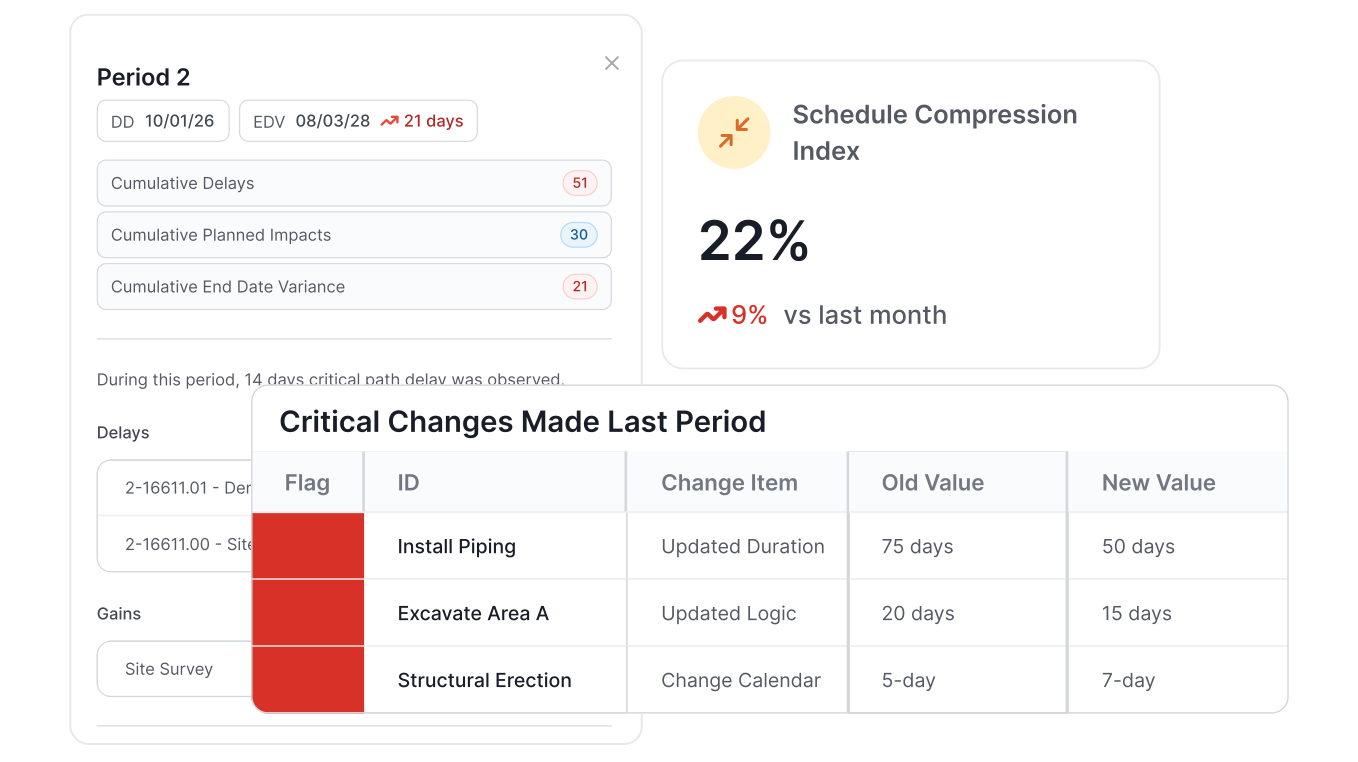
- Planned Impact – what changes were made to recover time
Within seconds, you’ll see how your end date moved and whether that shift came from the field, the plan, or both.
No More Manual Delay Analysis
No need to chase down logic changes or perform forensic delay analysis manually. SmartPM automatically analyzes each file uploaded, compares the update, and tells you:
- What activities drove delay
- Where recovery happened
- Whether your fixes actually landed
Built-In Delay Analysis Engine
Catch Delay Early, Recover on Time
“If your company wants to leverage data-driven, decision-making processes, and needs true insights into what’s really happening with the schedules on their projects, SmartPM is the product I would recommend.”

“Incredible Schedule Analytics Tool. SmartPM is super easy to learn and very effective when trying to communicate what is going on in the schedule. It is so quick and easy to upload your schedules into the software and within minutes have all of the metrics at your fingertips.”
“Some metrics we looked at in the past were lagging indicators. SmartPM provides leading indicators that give us time to adjust early and with more confidence.”

“SmartPM did everything we needed it to do and more. It allows us to identify potential roadblocks in our schedule – and do it early enough to remediate the issues.”

“Information to our owners is now 10X greater than before we had SmartPM. We uncovered a lot of risks that we did not know we had.
“The dashboard is easy at a glance. You can see health, compression, and the real end date in a single view.”
“The Windows Analysis is a game changer. What used to take me weeks or months on some projects now takes minutes or hours. I don't want to analyze any project without SmartPM anymore.”

“SmartPM’s interface was superior versus the competition, with essential metrics and reports clearly displayed and easy to find.”

“SmartPM is really helping us find and deal with the flaws in our baseline schedules and weekly updated schedules. It is saving us a lot of time by providing a cheat sheet on any issues with the schedule and points us right to the issue at hand instead of having to go dig for it.”
“The integration between SmartPM and Procore is huge for us because we don’t have to reinvent the wheel. We just add SmartPM into our current process to supplement it rather than change it.”
Construction Delay Analysis FAQs
-
Forensic delay analysis is the process of determining how events during a construction project impacted the schedule and assigning responsibility for the resulting project delays. It examines what was planned, what actually occurred, and the difference between the two so the cause of each slip is clear. SmartPM automates this work by running the analysis on every schedule update, which turns a manual, weeks-long methodology into a result available in minutes. The output gives contractors and owners a defensible basis for delay claims and time extension requests.
-
The as-planned versus as-built method is the most common, because it compares the original baseline against what was actually built without heavy modeling. For complex disputes, teams move to more detailed methods such as windows analysis, time impact analysis, or collapsed as-built, each of which carries more weight in a claim. SmartPM applies a windows analysis approach automatically across each period, so the comparison stays consistent from one update to the next. That consistency is what makes the schedule analysis hold up when accuracy matters.
-
Concurrent delays occur when two or more independent delay events happen in the same period, with at least one tied to the contractor and one to owner caused delays. It matters because courts often deny both time extensions and damages when delays are genuinely concurrent, so the sequence and ownership of each event has to be clear. SmartPM helps demonstrate delays by isolating which activities drove the slip in each window and how they moved the completion date. That record gives teams the documentation to defend their position.
-
Contractors should keep a contemporaneous record: daily logs, time-stamped photos, correspondence about delay events, and schedule updates that show the impact as it happened. Building that paper trail in real time is far stronger than reconstructing events after the fact. SmartPM adds to this by storing how each delay was calculated and which prior updates established the baseline, so the detailed analysis is always tied to source data. That makes the documentation easier to defend when costs and responsibility are in dispute.
-
Project controls software is critical because it connects project planning, progress tracking, and performance management in a structured, data-driven way. By automating the analysis of project schedule data, tools like SmartPM help identify risks and inefficiencies early, ensuring teams make timely decisions to avoid delays and overruns. This approach keeps projects aligned with their original goals while allowing adjustments based on real-world performance, ultimately improving execution and profitability.