





























What-if Modeling

Test Construction Schedule Scenarios Before You Commit

Build what-if scenarios on top of your real schedules, apply your own rules, and see how dates, risk, and performance would change – without touching the original files.

essentials-mobile-header

You're in Good Company

What it Does

A Modeling Layer on Top of Your Real Schedules

Create models from the same schedules you already upload. Choose which updates, phases, and activities to include, then apply your own assumptions:

  • Try different workweeks, durations, and sequencing
  • Include or exclude certain activities from your schedule
  • Add potential impacts or change events
  • Ignore selected schedule changes to see if they drove delay
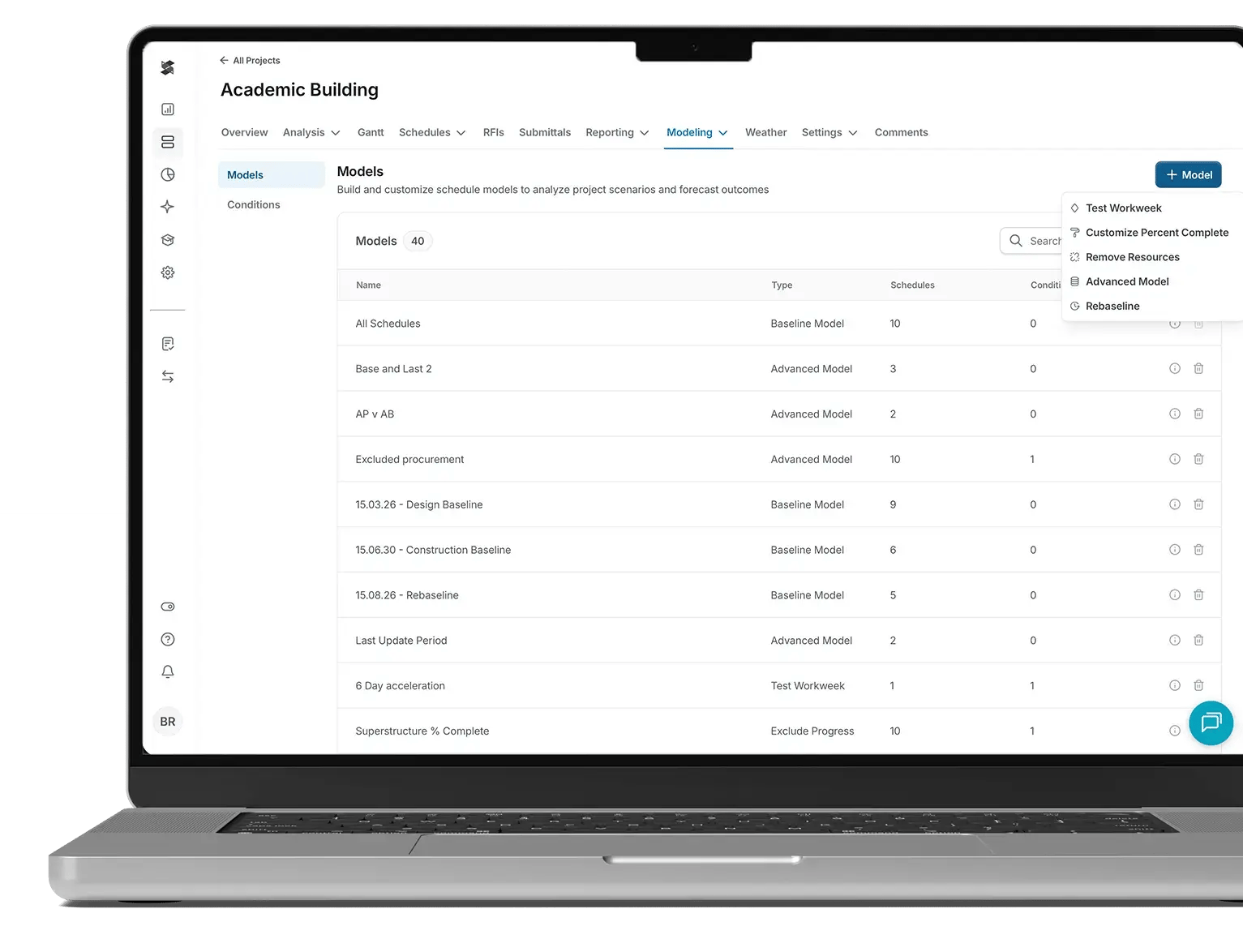
Modeling 'Models' table listing multiple schedule models with columns for name, type, schedules, and conditions, with the '+ Model' menu open showing options like Test Workweek, Customize Percent Complete, Remove Resources, Advanced Model, and Rebaseline.
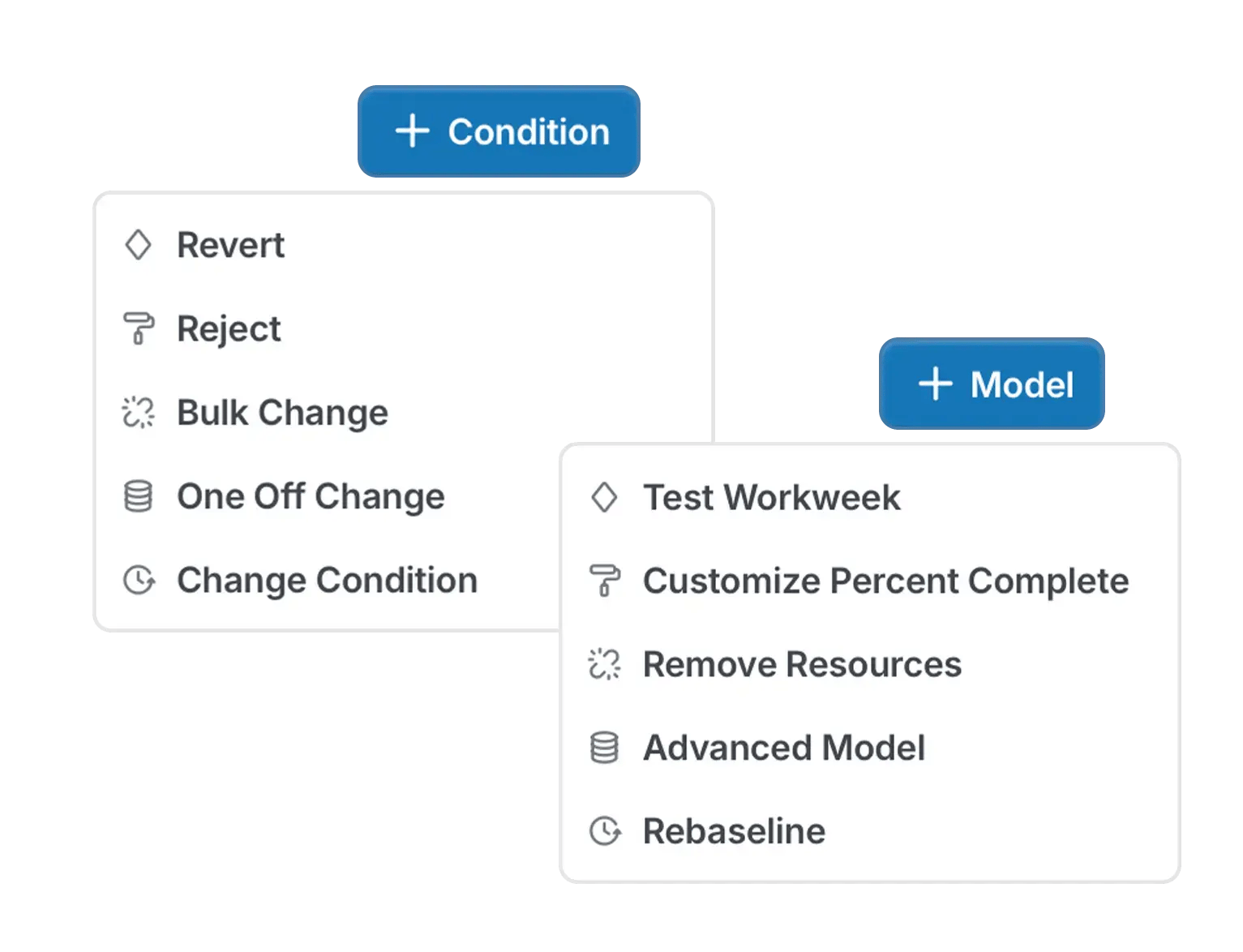
Schedule modeling interface showing open menus for adding conditions and creating models, with options for bulk edits, one-off changes, and workweek/percent complete/resource adjustments.
planning-and-feasibility-icon

Visibility

See How the Job Would Play Out Instantly

Test different calendars, durations, or added activities and see how they affect dates, delay, and workload before you commit.

3. SmartPM Setup_v01 12-15-2025

Control

Experiment Without Touching the Source File
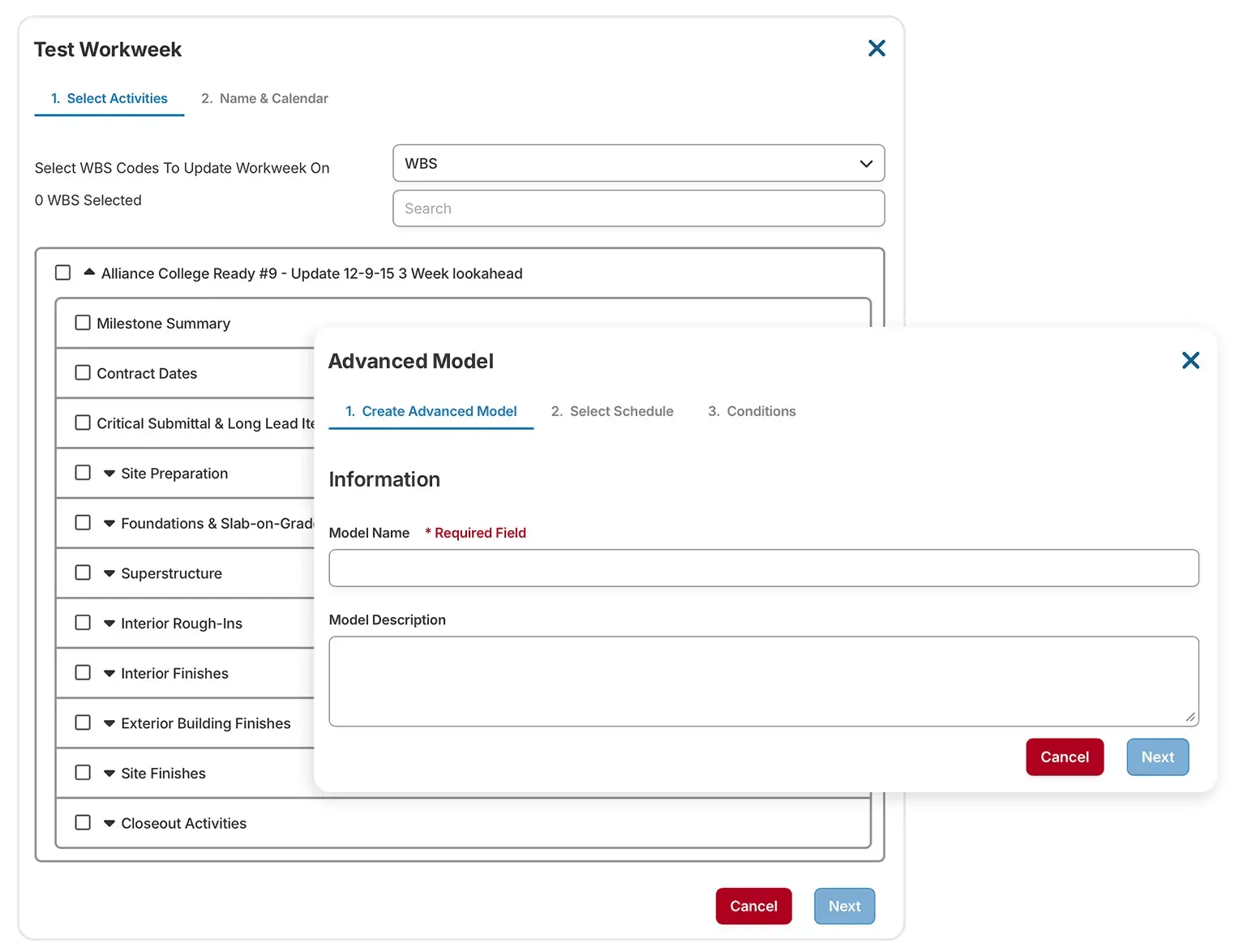
Run scenarios on copies of your schedule data. The live schedule and baseline remain unchanged, so you always have a clean record.

'Test Workweek' modal showing step tabs 'Select Activities' and 'Name & Calendar' with WBS dropdown, search bar, and selectable schedule categories; in front, an 'Advanced Model' modal with step tabs 'Create Advanced Model', 'Select Schedule', and 'Conditions', plus inputs for Model Name and Model Description.
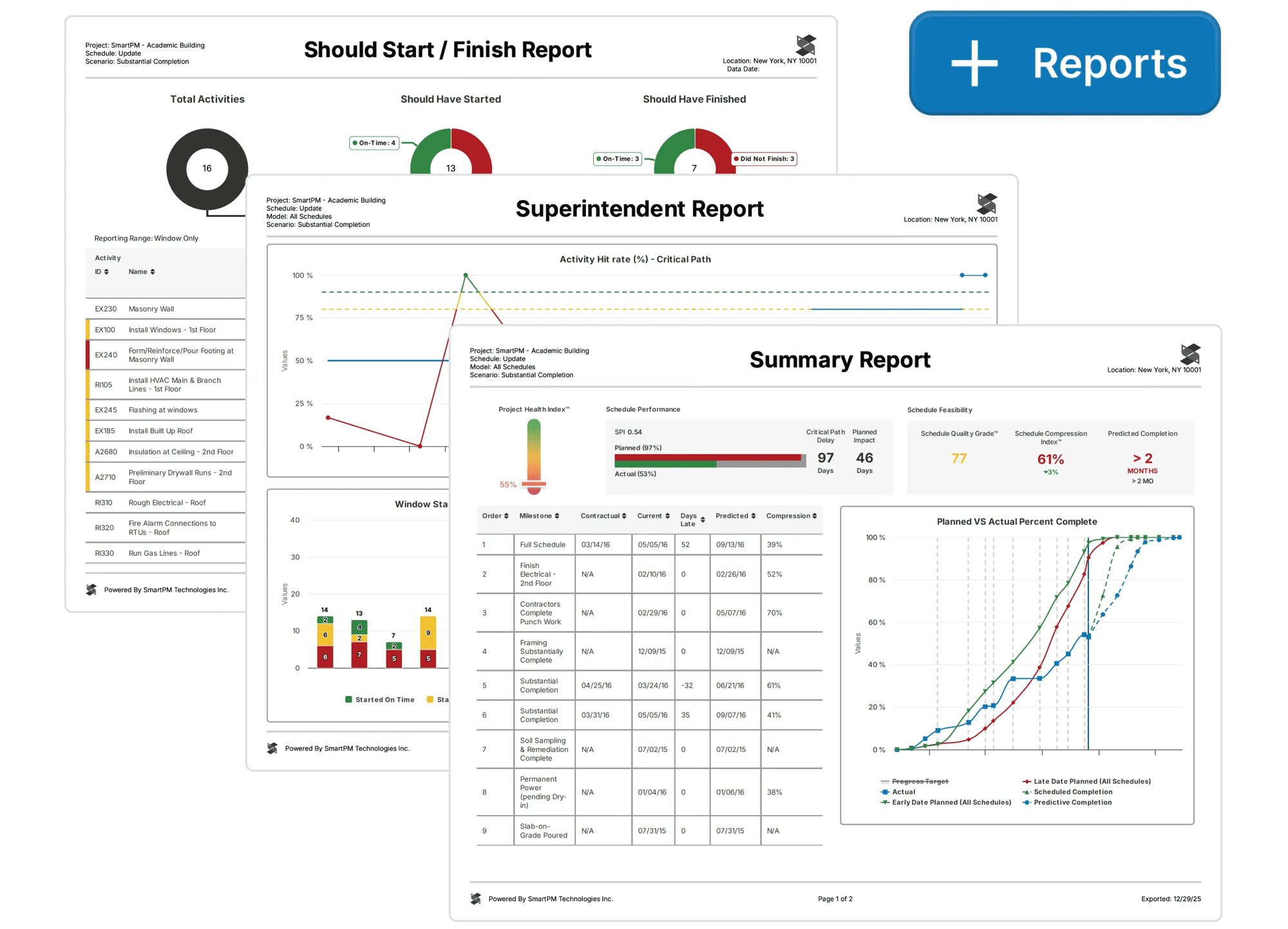
Stacked report previews labeled 'Should Start / Finish Report,' 'Superintendent Report,' and 'Summary Report,' with charts and tables visible, plus a '+ Reports' button in the top-right.
Asset 26

Confidence

Make Decisions Backed by Objective, Schedule-Driven Evidence

Show owners, executives, or partners how different options impact feasibility and timing, with clear data to support your recommendations.

What-if Modeling

Bring Advanced Modeling In House

Test ideas, validate impacts, and pressure-test plans without waiting on experts. SmartPM lets you explore scenarios on top of your live schedule updates, so you can see the true effect of changes before you commit.

With What-if Modeling, teams can:

  • Augment time extension and delay claims with side-by-side scenarios
  • Design recovery plans that are buildable before publishing
  • Understand the real impact of change orders, RFIs, or weather events before committing
  • Give stakeholders clear options backed by objective data
  • Keep the live schedule clean while exploring as many scenarios as needed
Take their word for it

“If your company wants to leverage data-driven, decision-making processes, and needs true insights into what’s really happening with the schedules on their projects, SmartPM is the product I would recommend.”

Denton Perreault (DesCor Builders)
Denton Perreault DesCor Builders
Take their word for it

“Incredible Schedule Analytics Tool. SmartPM is super easy to learn and very effective when trying to communicate what is going on in the schedule. It is so quick and easy to upload your schedules into the software and within minutes have all of the metrics at your fingertips.”

Brandon Howell (Layton)
Brandon Howell Layton
Take their word for it

“Some metrics we looked at in the past were lagging indicators. SmartPM provides leading indicators that give us time to adjust early and with more confidence.”

Take their word for it

“SmartPM did everything we needed it to do and more. It allows us to identify potential roadblocks in our schedule – and do it early enough to remediate the issues.”

Take their word for it

“Information to our owners is now 10X greater than before we had SmartPM. We uncovered a lot of risks that we did not know we had.

Shane Tresch (Bell Construction)
Shane Tresch Bell Construction
Take their word for it
“The dashboard is easy at a glance. You can see health, compression, and the real end date in a single view.”​​
Take their word for it
“The Windows Analysis is a game changer. What used to take me weeks or months on some projects now takes minutes or hours. I don't want to analyze any project without SmartPM anymore.”

Take their word for it
“SmartPM’s interface was superior versus the competition, with essential metrics and reports clearly displayed and easy to find.”

Rob McMurrich (J.H. Findorff)
Rob McMurrich J.H. Findorff
Take their word for it
“SmartPM is really helping us find and deal with the flaws in our baseline schedules and weekly updated schedules. It is saving us a lot of time by providing a cheat sheet on any issues with the schedule and points us right to the issue at hand instead of having to go dig for it.”
Brandon Schroer (DesCor Builders)
Brandon Schroer DesCor Builders
Take their word for it

“The integration between SmartPM and Procore is huge for us because we don’t have to reinvent the wheel. We just add SmartPM into our current process to supplement it rather than change it.”