
What Is a Construction Schedule Risk Analysis?
Schedule risk analysis is how project controls teams stop guessing and start knowing where their CPM schedule is most likely to break down.

Blog

What-if analysis is a method for testing how a change to one or more variables would affect an outcome before that change is committed.
In construction scheduling, a what-if analysis answers a direct question: if a crew shifts to a six-day workweek, if a permit slips three weeks, or if two activities are resequenced, what happens to the projected finish date, the critical path, and the available float?
The point of running scenarios is to see the consequence of a decision on paper, while there is still time to choose a different one.
The technique is not unique to construction. Finance teams use it for financial modeling, operations teams use it for capacity planning, and analysts use it to pressure-test advanced business models.
What changes in construction is the object being modeled: an interconnected CPM network where moving one activity can ripple through dozens of downstream relationships. That interdependence is what makes schedule scenario analysis valuable, and what makes it hard to do well. The data is schedule data, and the variables are real activities, not numbers.
A useful scenario starts with a question that a project team is actually arguing about. Schedule scenario analysis works best when the variables are concrete. The table below maps frequent what-if questions to the variable being changed and the decision the answer informs. Each example is a question teams raise on real jobs.
|
Scenario |
Variable changed |
Decision it informs |
|
Compressed workweek |
Calendar and working days |
Whether acceleration recovers the date, and at what crew cost |
|
Resequencing |
Activity logic |
Whether a different order shortens the critical path |
|
Added scope |
New activities |
The schedule impact of a change order before signing |
|
Removed delay event |
A specific delay |
How much a single event actually drove the slip |
|
Extended duration |
Activity durations |
The downstream effect of a trade falling behind |
Each row is a small experiment. Change one input, hold the rest steady, and read the effect on the finish date and float. Run several of these, and patterns emerge across the different scenarios: which variables move the date, which barely matter, and where the real risk sits. That work is closer to sensitivity analysis: learning which inputs the outcome is most sensitive to, not just computing a single answer.
The individual number matters less than the comparison across multiple scenarios, which is what surfaces the possible outcomes and turns a debate into a decision backed by data. Modeling potential scenarios this way makes what-if analysis a practical risk management tool that supports better decision making, not a reporting exercise. Teams can rerun the same models as new data arrives, so the analysis stays current with the project.
A what-if analysis is only as trustworthy as the schedule underneath it. Run scenarios on a schedule full of missing logic, hard constraints, and negative float, and the model will produce confident, precise, and wrong answers. The math runs fine. The inputs are broken.
That is why schedule quality is the precondition for any credible scenario work. Industry checks such as the DCMA 14-point assessment, along with the broader practice of construction schedule analytics, grade how well a schedule file is actually built: logic density, constraint use, float distribution, and more. A clean schedule produces scenarios you can defend and project data that supports informed decisions. A messy one produces guesses dressed up as data.
Federal schedule risk analysis guidance makes the same point from the public-owner side: a reliable schedule is the foundation for understanding cost and time risk, and recovery options depend on it. Skip the quality step, and every scenario built on top inherits the original flaws.
There is a practical problem with scenario testing inside a native scheduling tool. To model a change in P6 or MS Project, schedulers often edit the live file directly, which risks corrupting the schedule of record that the whole team and the owner rely on. Rebuild it wrong, and the experiment becomes reality.
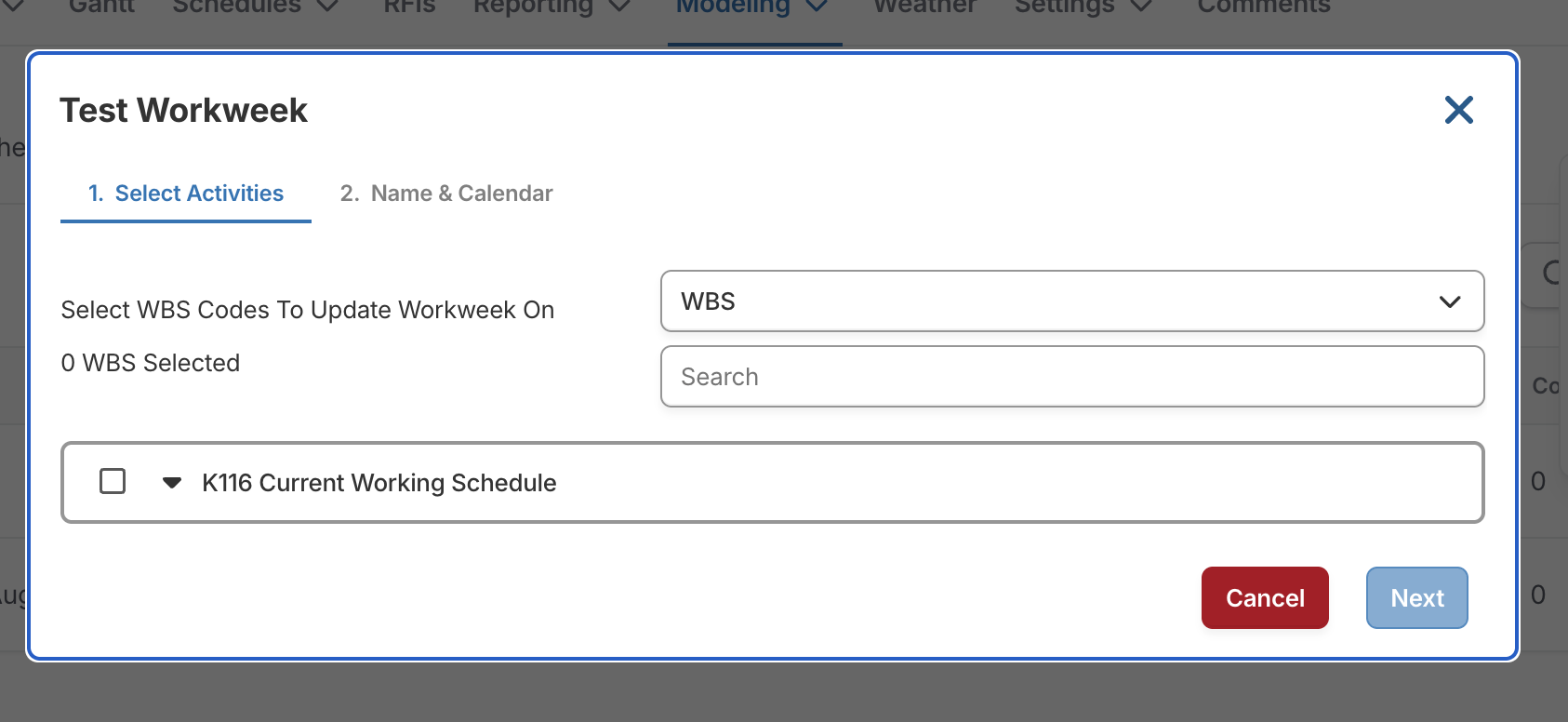
SmartPM is a schedule analytics layer that sits on top of those tools, not a replacement. SmartPM’s what-if modeling for construction schedules runs scenarios on a copy of the schedule data rather than the source file. Teams can change the variables that matter, different calendars, durations, sequences, or added activities, see how each affects dates and delay, and leave the baseline and live schedule untouched.
The CPM engine does the calculation, so the result reflects real critical-path behavior rather than a spreadsheet approximation. Run as many scenarios as the question needs, working from the same source data, then keep only the clean record. These scenarios can vary from one variable to several variables at once.
The live schedule stays defensible while the team explores freely around it.
Want to pressure-test a recovery plan on your own schedule? Talk to our team.

Scenario testing earns its keep when something has already gone wrong. When a project slips, the team needs a recovery plan that is buildable, not aspirational. When the desired outcome is a recovered finish date, model the options before committing to one. Adding crews, extending to a longer workweek, resequencing trades: each can be tested to see which path actually recovers the date and which only looks good in a meeting.
The same approach strengthens time-extension positions and delay claims. Modeled forensic methods, including those described in AACE International's recommended practice for forensic schedule analysis, work by inserting or removing a delay event from the CPM network and comparing the before-and-after result. A what-if scenario built on a quality schedule produces that kind of side-by-side, data-backed comparison, which is far harder to dispute than a narrative.
This is also where transparency pays off for every party. On a delayed Zachry Construction project, VP of Project Controls Ranjeet Gadhoke used SmartPM to show the owner exactly how the delay occurred, which helped negotiate the claim in Zachry's favor. As he described it, contractors usually arrive ready to place blame, while the analysis laid out plainly what fell on the owner and what fell on the contractor. When both sides read the same data, the conversation shifts from who is right to what the record shows.
Most professionals first meet what-if analysis in a spreadsheet. The what-if analysis tools in Microsoft Excel come down to three, each built for a different question. All sit on the Data tab: click What-If Analysis, then choose Goal Seek, Data Table, or Scenario Manager. These analysis tools cover most general what-if analysis needs, and the what-if analysis tools differ mainly in how many inputs they handle.
Works backward to find the input behind a desired result. Open Goal Seek on the Data tab, name the set cell, enter the target value in that result cell, and point to the one cell to change. Because this powerful tool adjusts a single variable, it suits one clean target, such as the interest rate that would determine a set monthly payment for a given loan amount. Use it to determine one input from a known result.
Projects one or two variables across many input values at once. Choose Data Table, and a dialog box asks for a column input cell, a row input cell, or both, tied to the result cell. A one-variable data table uses a single input cell to test many possible input values for the same variable; a two-variable data table uses two input values across two input cells and supports multiple formulas.
It runs many different variable values and shows all the outcomes in a tabular format, handy for comparing different values side by side and turning them into actionable insights.
Compares saved sets of inputs, even when more than two variables change. Each scenario is a saved set of input values applied to the same changing cells, so scenario analysis can adjust multiple variables at once. In the Scenario Manager dialog box, add a new scenario, name it, and enter its values; each holds up to 32 changing cells. Repeat for as many scenarios as needed, then switch between them. A scenario summary report lays the different scenarios out together for easy best-case and worst-case comparison.
These three tools handle budgets, financial planning, financial modeling, investment planning, and other advanced business models well, and Excel can even project future values from existing data. An effective what-if analysis in Excel shares one limit, though: a spreadsheet formula requires you to define every relationship through a cell reference, and it has no concept of construction logic. It does not know that foundations must precede framing, or that compressing one activity pushes float onto another path.
That is the line between general what-if analysis and schedule scenario analysis. A loan model has a handful of variables; a construction schedule has thousands of activities bound by logic, calendars, and constraints. To perform what-if analysis on a schedule, the engine has to understand the critical path, not just recalculate a cell reference.
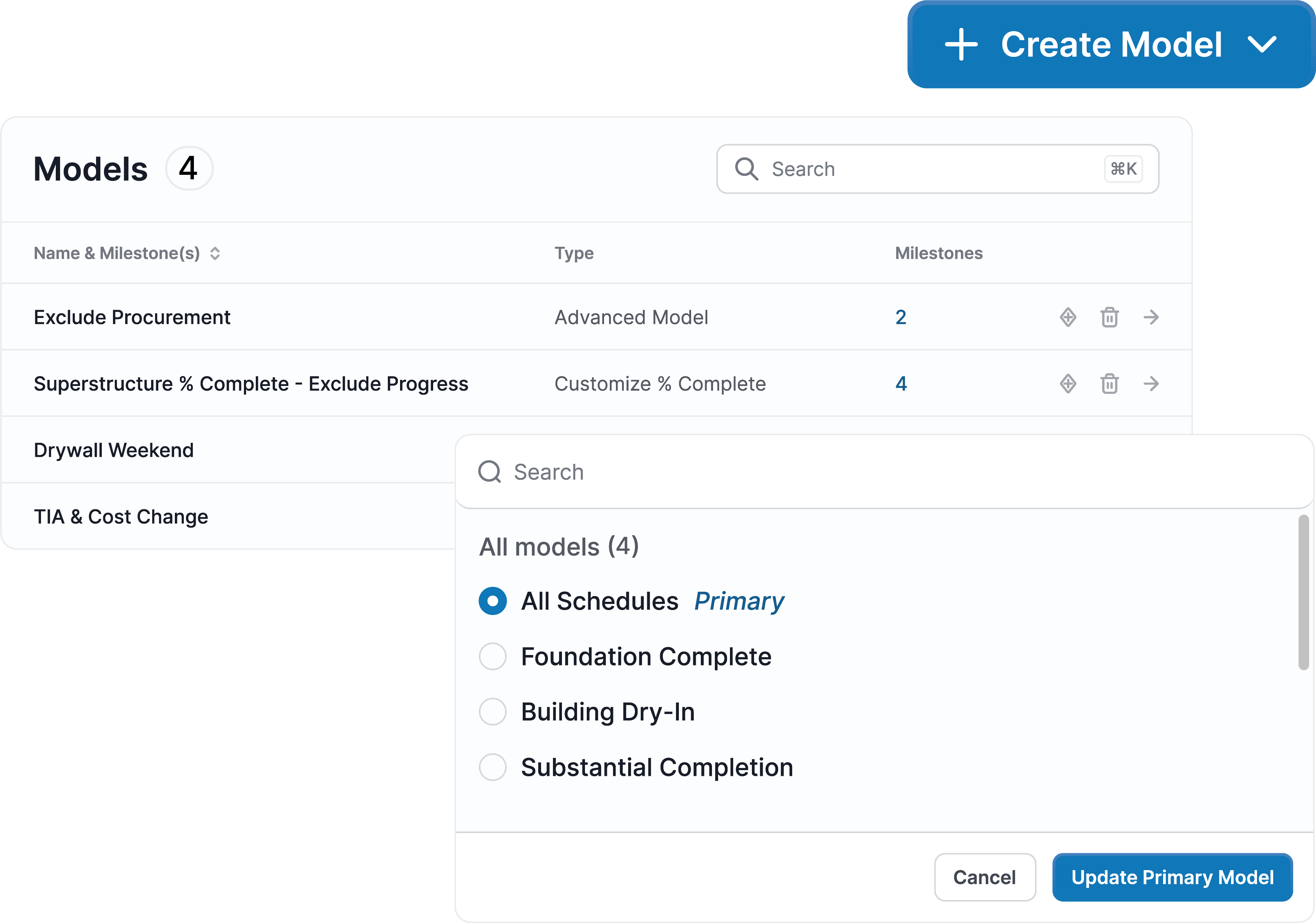

What-if analysis turns scheduling from reacting into deciding. At its core, this is scenario planning applied to the critical path. The sharpest scenarios isolate the few variables that move the date, often a two-variable view of crew and calendar. The teams that do it well share two things: schedules clean enough to trust, and a way to model multiple scenarios without risking the schedule of record. Get both right, and every major decision gets the benefit of a dry run.
See how SmartPM models what-if scenarios on your real schedules. Request a demo.