Fragnet Schedule in Construction
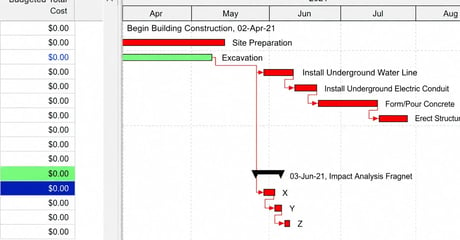
A fragnet schedule is a small network of related tasks, built with its own durations and logical relationships, that gets inserted into a larger project...
Blog

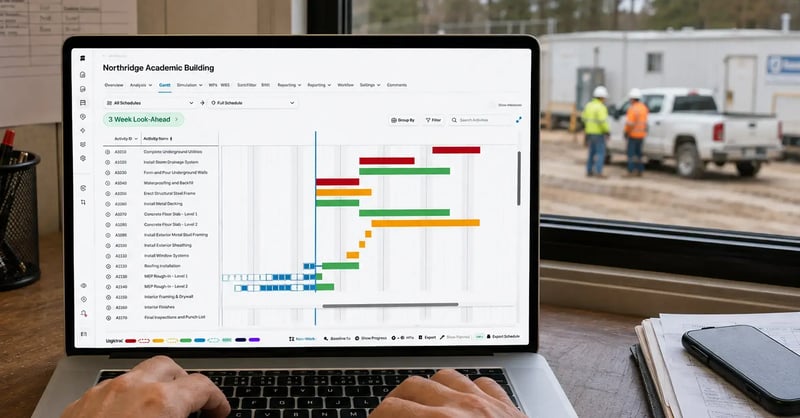
A 3-week look-ahead is a short-interval plan that pulls the next three weeks of tasks out of the master schedule so crews, subcontractors, and suppliers know what happens next. The look-ahead schedule is a filtered view of the current project schedule update, broken down to the detail the field can act on. That distinction decides whether a look-ahead schedule helps a project or quietly works against it.
Most project teams create one every week. Far fewer create it from the current construction schedule. That gap is where delays hide, and why coordination breaks down on otherwise well-managed construction projects.
A 3-week look-ahead schedule is a rolling plan covering the next three weeks of upcoming tasks, extracted from the project schedule and expanded into detailed crew-level steps. It sits between the master schedule governing the project timeline and the weekly work plan, where subcontractors commit to specific tasks.
The Last Planner System, maintained by the Lean Construction Institute, places look-ahead planning at this layer, where teams prepare upcoming work by clearing potential constraints in advance. AACE International's schedule classification guidance makes the same point: different levels of detail serve different project stakeholders and must trace to one another.
A construction look-ahead schedule tracing cleanly to the CPM network is a management tool. One that does not is a wish list. The benefits are practical: better coordination between trades, earlier communication of potential issues, and shared focus on the tasks driving the project timeline. Reviewing it weekly turns those benefits into progress you can track.
Three weeks is the shortest window that leaves time to clear a constraint before it becomes a delay, and two weeks does not. The lead times below are why.
|
Constraint |
Period that governs it |
Why three weeks matters |
|
Contract response period, commonly 7 to 14 days |
An answer due on day 14 lands outside two weeks |
|
|
Submittal review and materials release |
Specified review period plus supplier lead time |
Late orders surface while resequencing is still cheap |
|
Inspections and permits |
Notice period the AHJ requires |
Access can be coordinated around the inspector |
|
Crew and equipment mobilization |
Notice period in the subcontract |
Subcontractors allocate resources to real dates |
The window is set by the periods the contract already grants, not by convention. Six weeks stretches past the point where crew-level detail stays accurate, so the back half gets rewritten before anyone uses it. Teams that maintain it identify challenges two or three weeks in advance, while adjustments are cheap and recovery costs stay low.
A useful 3-week look-ahead template is short and detailed only where detail changes a decision. Anything a look-ahead schedule template duplicates from the project schedule adds maintenance without value.
|
Field |
Purpose |
|
Activity ID |
Traces each task back to the construction schedule |
|
Task description |
Detailed, plain language the field recognizes |
|
Week 1 / Week 2 / Week 3 |
Where work falls across the next three weeks |
|
Responsible party |
The named trade partner or crew, with clear responsibilities |
|
Predecessor status |
Whether preceding tasks are complete, in progress, or behind |
|
Total and free float |
Room before the next task or the end dates move |
|
Constraint and owner |
The roadblock, who clears it, and by when |
|
Commitment status |
Committed, at risk, or not ready |
The activity ID column is the one most project teams drop, and the one that matters most. Without it, a look-ahead schedule cannot be reconciled against its source.
Download the free 3 week look ahead template with the columns above, dropdowns, and one filled sample week.
Break each activity into the detailed crew-level tasks that make it real: hang, tape, sand, prime. Keep those tasks nested under the parent activity ID. Adding new logic inside the look-ahead creates a second plan without meaning to.
.jpg?width=1200&height=800&name=SmartPM%20Gantt%20View.png%20(1).jpg)
Building a 3-week look-ahead construction schedule is a five-step routine. The order matters more than the format.
Look-ahead drift happens when the field plan and the CPM schedule are managed separately long enough to tell different stories about the same three weeks. It starts small. A superintendent resequences two tasks to keep crews productive, and the change never reaches the project schedule. Three months later, the look-aheads describe one sequence, the schedule baseline describes another, and every future update inherits the mismatch.
Nobody notices while it runs well. It surfaces in two ways.
The first is operational. Crews commit to sequences the critical path no longer supports, so free float on near-term activities gets spent on tasks that never drove the finish date.
The second is contractual. When a delay claim is filed, both records get produced. The GAO's Schedule Assessment Guide treats traceability as the foundation of a reliable project schedule, and inconsistency between contemporaneous documents is the first thing a reviewer checks.
When asked what reveals that look-aheads and CPM updates were being managed separately on a disputed job, and how far back those discrepancies typically go before anyone notices, Mike Pink, the CEO of SmartPM, says:
See whether your look-ahead and your project schedule still agree. Request a demo.
A look-ahead schedule is working when the field metric and the detailed schedule metric agree. Each pairing answers the same question from two directions, and disagreement is where to focus.
|
Field-side metric |
Schedule-side metric |
What disagreement means |
|
Percent Plan Complete (PPC) |
Schedule Performance Index (SPI) |
Tasks were completed as promised, but not the tasks that mattered |
|
Commitment reliability by trade |
Baseline Execution Index (BEI) |
One trade partner is absorbing float others assumed was available |
|
Constraint aging |
Float erosion |
Roadblocks outlive the buffer covering them |
|
Task count per week |
More work is pushed into the window than crews can absorb |
SPI compares work completed against work planned; BEI counts tasks finished by their baseline date. Percent Plan Complete alone measures how well a team plans. Paired with schedule data, it shows whether planning is moving the project. Broader construction progress tracking puts both readings in one view. Reviewing them together shows project managers where to focus resources.
When asked what is really happening when a team's Percent Plan Complete looks healthy but the schedule keeps slipping, and which metric should be trusted, Mike Pink, the CEO of SmartPM, says:
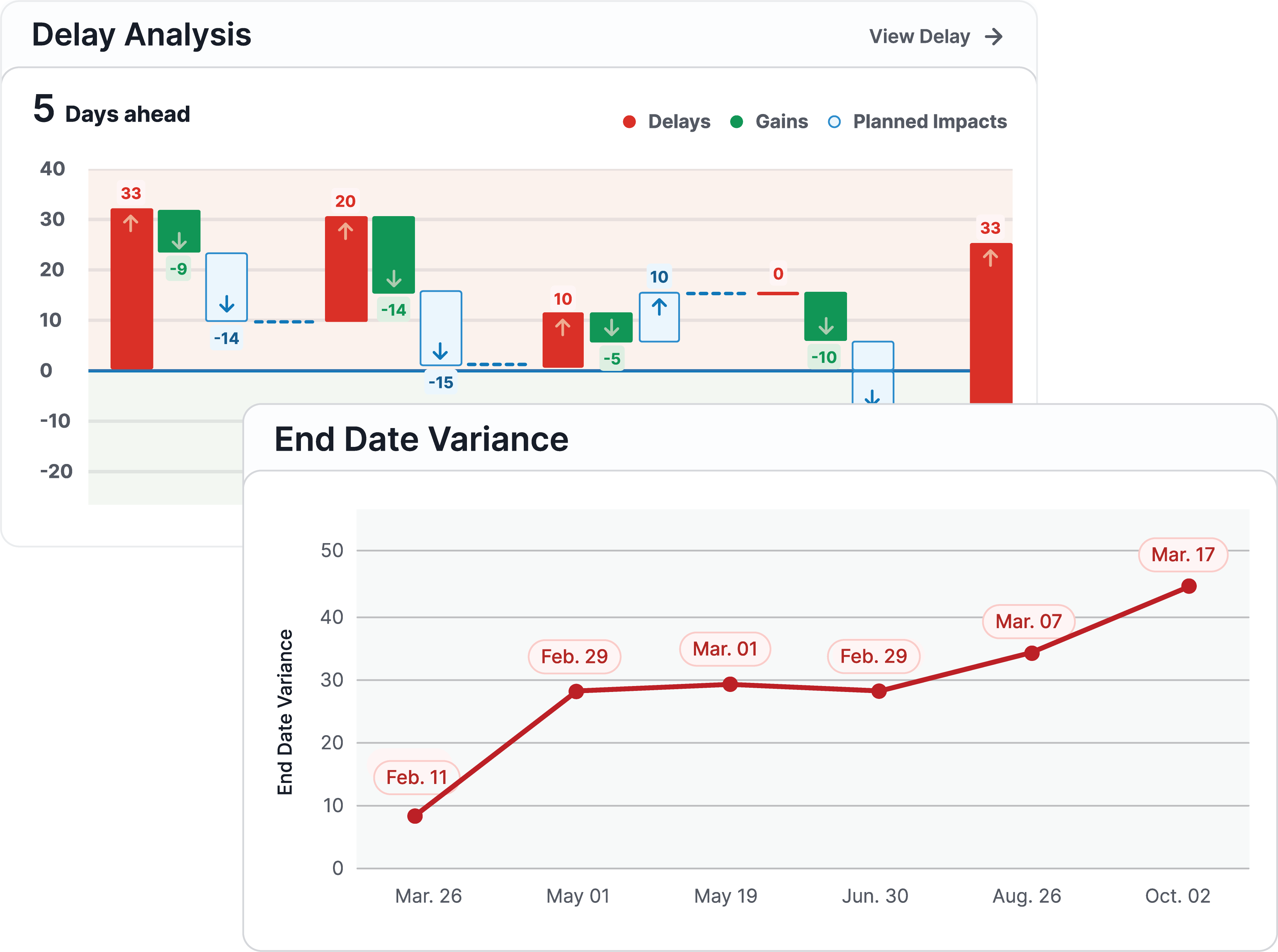
These separate a look-ahead that controls work from one that only documents it:
A proprietary CPM engine sits on top of Primavera P6, Microsoft Project, or Phoenix, grades and tracks the update the look-ahead is drawn from, then shows whether last week's completed tasks moved the critical path. SmartPM does not create the project schedule or the weekly field plan. It measures whether the plan the field is focused on matches the plan the contract is measured against.
That reconciliation is essential on successful construction projects, where teams coordinate weekly rather than monthly to track progress. Delays caught in the first weeks cost days. The same delays found six weeks later carry real costs in crews, resources, and site access.
Weekly cadence is the practical barrier for most project managers. Automated construction schedule reporting removes it, with a built-in look-ahead report template that regenerates every update. Frampton Construction reports doing in ten minutes what once took two hours or more.